-
Senior Member
registered user
Re: copyin
I should clarify. I meant to say do that before putting anything on the drive. Otherwise you'll have to zero out the other space using the other method i mentioned.

Originally Posted by
Dave_Bechtel
>> If you want to make a compressed image of the drive you'd first want to dd if=/dev/zero of=/dev/hda the drive so that the unused space will compress very well. Then remote mount a file system...
--Do you realize what you just said there? That ***wipes out the entire drive,*** making it pointless to back up...
Originally Posted by
stonent
You can do the cat /dev/hda thing with ntfs, but you can't untar because Knoppix can't write to windows 2000 drives.
For some reason, copying an EXT2 drive with knoppix takes much longer. For that I type mount and read the pid of the auto mounter and kill -9 it. Then umount everything that is /dev/hdsomething or /dev/sdasomething
Also this will make the drives with identcal partitions so if you are going from a 20gb to a 40gb you'll have to make another partition or resize it using fips or something like that.
If you want to make a compressed image of the drive you'd first want to dd if=/dev/zero of=/dev/hda the drive so that the unused space will compress very well. Then remote mount a file system (samba or nfs) and
cat /dev/hda | gzip -9 > /mnt/remotefs/blah.img.gz (something like that, the > may not be necessary)
If you already have a full drive that you want to duplicate do something like dd if=/dev/zero of=/junkfile.tmp that will fill the empty space with zeros and then delete the junkfile.tmp after it dies from a full filesystem.
Similar Threads
-
By Eshnet.net in forum The Lounge
Replies: 7
Last Post: 03-20-2004, 12:22 AM
-
By rickenbacherus in forum The Lounge
Replies: 3
Last Post: 01-29-2004, 04:13 AM
-
By Jared in forum The Lounge
Replies: 5
Last Post: 11-27-2003, 08:11 PM
-
By Flitt in forum General Support
Replies: 1
Last Post: 10-09-2003, 09:11 AM
-
By k.otaku in forum The Lounge
Replies: 3
Last Post: 03-06-2003, 04:07 PM
 Posting Permissions
- You may not post new threads
- You may not post replies
- You may not post attachments
- You may not edit your posts
-
Forum Rules

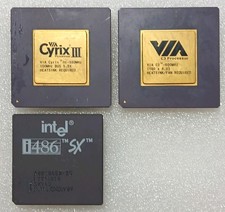
Lot of Vintage Computer CPUs Cyrix Intel Lot of 3 - Untested As-Is Parts
$34.00

Vintage NEC CDR-1410A 50 Pin SCSI CD-ROM Optical Drive Used
$39.99
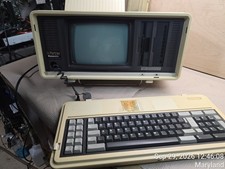
Vintage Panasonic Sr. Partner RL-H7000 Computer w/Service Manual & DOS Disks Cov
$275.00
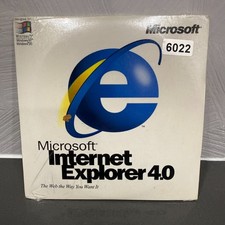
VINTAGE FACTORY SEALED MICROSOFT INTERNET EXPLORER 4.0 CD-ROM - NEW RARE BLUE CD
$34.99

Vintage Working Apple IIc and Monitor. With Packaging. A collector's dream
$659.99

Apple Macintosh Portable Vintage Portable Computer w/ Carry Case & Power Adapter
$800.00

Original Vintage Old Style STANDARD Black CD Jewel Case (Heavy Duty) 90g Lot
$316.95
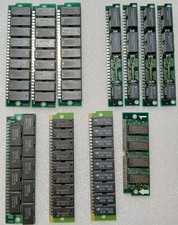
Vintage Computer Memory Lot of 11 Sticks –Parts/Untested
$28.00
New Open Box Dell Vostro Vintage Windows XP Laptop 2ghz 1gb 60gb DVD NO BATTERY
$129.99
Toshiba T1000 Vintage Laptop PC, 1 power supplies, manuals, and original bag
$119.99



 Reply With Quote