
Thanks for the correction, Werner.Originally Posted by utu

right-click gets choices, including alsamixer; left-click gets volume control.


Thanks for the correction, Werner.
right-click gets choices, including alsamixer; left-click gets volume control.
It would be very helpfull not only draw a red frame around the symbol but also use the right mouseclick. The right mouseclick is the most important feature of the mouse...to change volume i just mess around with the LXDE plugin
If you did so, you'll get the option "Volume Controll" settings (alsamixer).
Read the manpage of alsamixer and try the effects with the keys F1 - F6 within this tool.
Yes i know right-click opens the options menu and then there is a option called "Volume Control Settings" which opens up alsamixer, but not even that works... And you gave me a good idea about the manual page of alsamixer i didn't taught about that...
Also utu how did you took that screenshot of the volume plugin? When i tried to take it it just goes away lol, also mine one is in the wrong place, it dosen't stick to the panel, it floats a few pixels above the panel lol
I don't know about floating, but my left-click on the lxpanel speaker icon
gives a 'slider' control to change volume and a check-box to mute or un-mute.
This control appears just above the lxpanel; it requires another click
of the speaker icon to make this gui disappear.
A right-click of the lxpanel speaker icon gives an alsamixer gui in the upper-
left screen space. The alsamixer gui displays all the alsa parameters,
but also allows these to be changed either with the arrow & function keys
and to select functions or to change values, or check-boxes to mute or to
enable different audio system elements. Use frame controls to get rid of this gui.
FWIW, I find it comforting to bring up alsamixer by a command in an lxterminal
and then to use a left-click of the lxpanel speaker icon. Any changes made in this
way via the Volume Control gui are reflected immediately on the alsamixer gui.
In my case, whatever audio system changes are made as described here
are captured by persistence and are thus retained on reboot.
This is the Knoppix default situation as far as I am aware.
Last edited by utu; 11-05-2014 at 01:18 AM.
I actually found out how to take the picture I just set a delay, and open the plguin
Well that certainly dosen't happen to me
But that does happen to me, weird isn't it?
What i meant about the floating plugin is this:
Screenshot from 2014-11-06 13:42:25.jpg
And my card model is also in the picture
Last edited by jvfc678; 11-06-2014 at 04:43 PM.
.
And a nice desktop it is.
The only thing that might explain what's happening is that you may have
installed an unnecessary new gui, that might be over-shadowing the default volume control.
You could start over with a noimage cheatcode to see if things behave differently now that
you know what to look for.
Or start over with a new LiveUSB, heaven forbid.
I didn't install any new GUIs, I only installed ALSAequal but that isn't the source of the problem because it did the same thing even when I didn't had any equalizer.
Also do you think it has to do with my card or driver that Im using like you saw in the screenshots? But i also don't think that is the case because i used the same flash disk i use
on the screenshots you saw earlier on my brothers laptop with a different card and the problem still persists. What it could be?
.
FWIW, It's possible to display both the AlsaMixer gui & the VolumeControl gui
from the lxpanel speaker icon alone, that is, without recourse to a separate
lxterminal command. And, esc is another way to close the AlsaMixer gui.
.
I am all out of ideas.
It is my experience that it is default Knoppix LiveUSB-with-persistence behaviour that volume control setting changes, by either of the guis that arise from either right-click or left-click of the panel speaker icon, are retained via persistence on reboot.
lspci | grep audio indicates my audio device is an
Intel Corporation 82801I (ICH9 Family) HD Audio Controller (rev 03).
If you were to make an new KNOPPIX LiveUSB with persistence, made no change in its initial configuration, and if your audio device is like mine, I can see no reason your LiveUSB would act differently than mine.
If your hardware or software configuration differs from mine, then obviously some configuration difference may explain a performance difference. ANY difference in configuration may explain different performance. You are in the best position to know what differences there might be in your configuration and a default Knoppix configuration.
Hey utu I just did a fresh install on knoppix again and guess what? I didn't mess around this time and the volume problem is still there; it just dosen't save it no matter what i do!
I also discovered why the volume plugin on the panel was floating... It was because of a compiz plugin called Place Windows, that i activated, that plugin allows you to always place windows on the center of the screen rather than on the top left hand corner wich really annoys me that why i activated it.
But seriosly now I don't know what to do anymore about this volume thing, I was looking at the lxde autostart commands and I noticed this that comes by default:
Do you think disabling this will make any difference?Code:@lxpanel --profile LXDE
Last edited by Werner P. Schulz; 12-03-2014 at 10:06 PM. Reason: inappropriate choice of words
 Posting Permissions

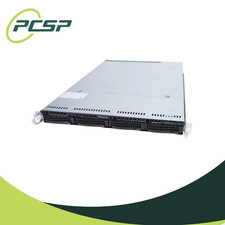
Supermicro CSE-815-5 4B LFF Xeon E3-1220v5 16GB DDR4 1x 9361-8i 4x 1TB SATA HDD
$477.00

HP ProLiant MicroServer Gen8 G1610T @2.3 GHz, 16GB, 712317-001 NO HDD/OS
$199.00

$280.00

Supermicro 1U Network Server Appliance 16GB RAM 800GB SSD 6 LAN Ports Powers On
$450.00
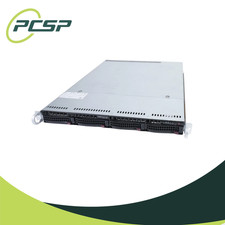
Supermicro CSE-815-5 4B LFF Xeon E3-1240v5 16GB DDR4 1x 9361-8i 4x 1TB SATA HDD
$484.00
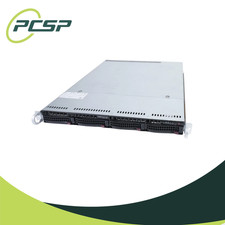
Supermicro CSE-815-5 4B LFF Xeon E3-1240v5 8GB DDR4 1x 9361-8i 4x 1TB SATA HDD
$453.00
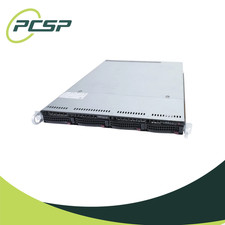
Supermicro CSE-815-5 4B LFF Xeon E3-1240v5 16GB DDR4 1x 9361-8i 4x 2TB SATA HDD
$532.00
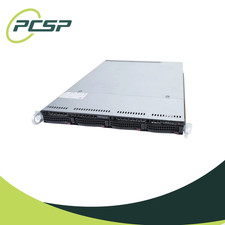
Supermicro CSE-815-5 4B LFF Xeon E3-1240v5 32GB DDR4 1x 9361-8i 4x 1TB SATA HDD
$545.99

Nasuni NF-50 Supermicro Server, Atom CPU C2558, @ 2.40GHz, 8GB RAM-No HDD/OS/AC
$250.00

Supermicro CSE-937 3U Storage Chassis No CPU No HDD No Ram Tested & Reset
$129.99

 Reply With Quote