

 Reply With Quote
If you want the Kernel-Headers also,
apt-get install kernel-headers-2.4.20-xfs


NOTE: With this build you have to use orginal .config file in /usr/source/linux/linux-2.4.20-xfs .
ALSO: ONLY use this if you have an fresh HDD install of Knoppix or NO programs compiled!!!!!! If Modem is your only compiled program, no problem. But you will have to re-install it to get it to work.
Download:
http://developer.linuxtag.net/knoppi...Custom_all.deb
Go into konsole and su <password> and chmod a+rw /home -R .
(Its read-only)
chmod a+rw /usr/src -R
Launch Kpackage and Install.
su <password>
cd /usr/src
bunzip2 kernel-source-2.4.20-xfs.tar.bz2
tar -xvf kernel-source-2.4.20-xfs.tar
cp /usr/src/linux-2.4.20-xfs/include/asm-i386/system.h /usr/src/kernel-source-2.4.20-xfs/include/asm-i386
overwrite? Y
rm linux
ln -s kernel-source-2.4.20-xfs linux
cd linux
make clean
make mrproper
make xconfig
(Don't make any selections!)
BUTTON: Load configuration File
/usr/src/linux-2.4.20-xfs/.config (Can use CNTRL V) to patse in
BUTTON: Save and Exit
make dep
make bzImage
make modules (Take an Break)
cp /usr/src/linux/arch/i386/boot/bzImage /boot/vmlinuz-test
cp /usr/src/linux/System.map /boot/System.map-test
mv /lib/modules/2.4.20-xfs /lib/modules/2.4.20-xfs.old
make modules_install
kwrite %U
Open /etc/lilo.config
We want to add another description like your regular boot for Knoppix.
EXAMPLE:
image=/boot/vmlinuz-2.4.20-xfs <--- This is my Boot-Up for Knoppix
label=Knoppix
root=/dev/hdg6 <--- Yours will be different!
read-only
initrd=/boot/initrd.gz
image=/boot/vmlinuz-test <--- I added these 5 lines.
label=Knoppix-test
root=/dev/hdg6 <--- Insert Yours from Above!!!
read-only
initrd=/boot/initrd.gz
Now we have 2 Boot Promps: Knoppix and Knoppix-test, you may also have one for Windows.
SAVE lilo.conf
From Konsole,
lilo
Screen will return with:
Added Knoppix
Knoppix-test
and any other Boot prompts in lilo.conf
That's - RE-BOOT and load Knoppix-test and go to Launch Control Center and go to System Adminstration - Linux Kernel and you can
see whats enabled in your Kernel.
IMPORTANT: DO THIS!!! (Now or Later) Will EXPLAIN BELOW!!!!
image=/boot/vmlinuz-2.4.20-xfs <--- This is my Boot-Up for Knoppix
label=Knoppix <--- Rename this Fail-Safe <---
root=/dev/hdg6 <--- Yours will be different!
read-only
initrd=/boot/initrd.gz
image=/boot/vmlinuz-test <--- I added these 5 lines.
label=Knoppix-test <--- Rename this Knoppix <---
root=/dev/hdg6 <--- Insert Yours from Above!!!
read-only
initrd=/boot/initrd.gz
Move the new Knoppix above Fail-Safe, and Your Boot Screen will
look like this:
Knoppix
Fail-Safe
Windows <--- If you have an Windows Entry.
THE REASON !!!!!!!!!!!!!!!!!!!!!!!!!!!!!!!!!!!!!!!!!!!!!!!!!! !!!!!!
Since we moved /lib/modules/2.4.20-xfs to 2.4.20-xfs.old ,
we want to rename Knoppix-test to Knoppix (It's using these librays!)
For you Expert's: Maybe you can clue me in, if I try:
(NO-ONE DO THE FOLLOWING!)
mv vmlinuz-2.4.20-xfs vmlinuz-2.4.20-xfs.old
mv vmlinuz-test vmlinuz-2.4.20-xfs
mv System.map System.map.old
mv System.map-test System.map
Both Knoppix's boot OK, But the Orginal Knoppix 2.4.20-xfs,
go to /etc/init.d/bootmisc.sh - It won't open OR will any others. In
Knoppix-test They Will! I expect it has something to do with
mv /lib/modules/2.4.20-xfs /lib/modules/2.4.20-xfs.old .
That's why I had everbody rename:
image=/boot/vmlinuz-test <---
label=Knoppix-test <--- Rename this Knoppix
and put at top of lilo.conf .
If you want the Kernel-Headers also,
apt-get install kernel-headers-2.4.20-xfs
Some Updates,
I just rebuild my kernel again - no problem from my procedure.
Other problen, not associated with the Kernel Rebuild.
THIS IS for newbies, to clear up 3-4 very,very minor parts in Recompile.
1) cp /usr/src/linux-2.4.20-xfs/include/asm-i386/system.h /usr/src/kernel-source-2.4.20-xfs/include/asm-i386
This is one line on command line with 1 space between
h /usr/src ..ect
2) Any questions from compiler not listed - ANSWER Y
3) make modules (runs about 20 min on 1400MHZ CPU)
4) Close all Kwrite windows after done editing lilo.config -
so you can do the command lilo .
5) Read the last Example (Closely) so to get it right.
Thats it, I'm up and running on this procedure for a second time. I copyed and pasted from this page - no problems.
Enjoy Knoppix !
IMPORTANT
DO NOT USE THIS METHOD
USE THE ONE BELOW !!!
http://www.knoppix.net/forum/viewtop...?p=21477#21477
 Posting Permissions

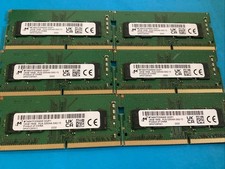
Lot of 6 Micron MTA8ATF2G64HZ-3G2F1 16GB 1Rx8PC4-3200AA-SA2-13 Laptop Memory RAM
$300.00

Microsoft Office 2021 Pro Plus USB for 1PC Windows 10 & 11
$62.50
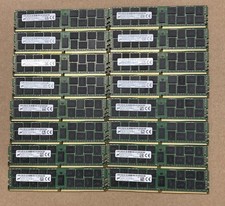
Lot Of 16Micron MTA36ASF2G72PZ-2G1A2IJ 16GB 2Rx4 PC4-2133P-RB0-10 ECC Server Ram
$960.00

Lot Of 8 Micron 8GB 2Rx8 PC4-2666V-RE2-11 ECC REG Server Ram MTA18ASF1G72PDZ-2G6
$210.00

Kingston 32GB 64GB 128GB 256GB USB 3.0 Flash Drive Thumb Memory Stick Pen lot
$285.90

USB 3.0 Flash Drive 32GB 64GB 128GB Memory Stick Thumb Stick Lot Pack
$826.09

USB 3.0 Micro SD SDHC TF Card Reader Memory Adapter for PC Laptop Camera lot
$3.75

128GB (4x32GB) SK hynix DDR4 PC4-2666V RDIMM ECC Server Ram HMA84GR7CJR4N-VK
$799.00
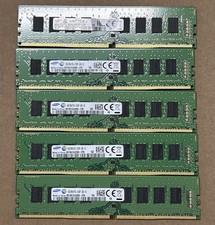
LOT OF 5 Samsung M378A1G43DB0-CPB 16GB (2x8GB) 2Rx1 PC4-2133P Desktop Memory
$130.00

TF/SD Card Adapter Camera Reader Android Type-c For iPhone17 Pro Max Plusm lot
$573.98