-
no microphone?
I have a headset port (sound and mic). I can hear playback but the mic doesn;t work.,
When I start audacity it tells me I have an input problem.
Any ideas how I can get this to work in Knoppix?
-
Administrator
Site Admin-
Lots more details needed. Starting with, what is a "headset port"? Are you referring to two 3.5 mm jacks on the front of your computer as opposed to the rear? If so, have you tried using the microphone jack on the rear of the computer (assuming that we are even talking about a desktop rather than a laptop). It might help others to know what computer you have and even if there is a separate sound card what that card is. And is the actual message from Audacity "input problem"?
---
Verifying of md5 checksum and burning a CD at slow speed are important.
-

Originally Posted by
Harry Kuhman

Lots more details needed. Starting with, what is a "headset port"? Are you referring to two 3.5 mm jacks on the front of your computer as opposed to the rear? If so, have you tried using the microphone jack on the rear of the computer (assuming that we are even talking about a desktop rather than a laptop). It might help others to know what computer you have and even if there is a separate sound card what that card is. And is the actual message from Audacity "input problem"?
a port that has sound out and line in at the same time.
you use a combo headset,\.
lenovo t430s
seems like alsa is insalled
knoppix@Microknoppix:~$ cat /proc/asound/cards
0 [PCH ]: HDA-Intel - HDA Intel PCH
HDA Intel PCH at 0xf3530000 irq 43
29 [ThinkPadEC ]: ThinkPad EC - ThinkPad Console Audio Control
ThinkPad Console Audio Control at EC reg 0x30, fw unknown
knoppix@Microknoppix:~$
-
Originally Posted by
qwertyjjj
a port that has sound out and line in at the same time.
you use a combo headset,\.
lenovo t430s
seems like alsa is insalled
knoppix@Microknoppix:~$ cat /proc/asound/cards
0 [PCH ]: HDA-Intel - HDA Intel PCH
HDA Intel PCH at 0xf3530000 irq 43
29 [ThinkPadEC ]: ThinkPad EC - ThinkPad Console Audio Control
ThinkPad Console Audio Control at EC reg 0x30, fw unknown
knoppix@Microknoppix:~$
what can I check?
-
Administrator
Site Admin-
Don't have an answer for you, I was hoping that knowing the device might help someone come up with suggestions. That tablet does also have a built in mic for the built in webcam and I expect that is the primary mic, but clearly you want to be able to use both and it sounds like you can't use either.
---
Verifying of md5 checksum and burning a CD at slow speed are important.
-
Originally Posted by
Harry Kuhman
Don't have an answer for you, I was hoping that knowing the device might help someone come up with suggestions. That tablet does also have a built in mic for the built in webcam and I expect that is the primary mic, but clearly you want to be able to use both and it sounds like you can't use either.
sound out works, I can hear it in my headphones.
But mic in does not.
 Posting Permissions
- You may not post new threads
- You may not post replies
- You may not post attachments
- You may not edit your posts
-
Forum Rules


Western Digital HUS726T4TAL5204 4TB 7.2K SAS 12Gb/s 3.5" 512e HDD NetApp X375A
$64.00

DELL 2TB Enterprise HDD (7200RPM, 3.5", SATA III, 128MB Cache) HUS722T2TALA600
$49.95

Seagate ST8000NM0075 Enterprise Capacity 3.5 HDD 8TB SAS Hard Drive 8TB EXOS
$184.99

HDD 3.5" SATA Hard Drive with Windows 10/Win 11 64x Installed Legacy
$35.00

Dell ST6000NM0034 1HT27Z-150 NWCCG 6TB SAS 3.5 7.2K ENTERPRISE SERVER DRIVE
$68.99
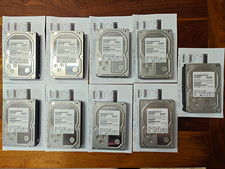
Hitachi Ultrastar 3TB 7200RPM 3.5in SATA III 6Gb/s - enterprise-grade hard drive
$49.00

Seagate ST3000NM0005 HDD 3TB SATA 6Gb/s 7.2K 3.5" 512 b/s
$59.00

Western Digital Blue (7200RPM, 3.5", SATA III, 64MB Cache) 1TB HDD
$19.90

HUS726060ALA640 HGST Ultrastar 6TB SATA 6Gbps 7.2K 3.5" Hard Drive OF21860
$129.99

Western Digital 1TB 3.5" SATA III 7200RPM Desktop Hard Drive
$34.99



 Reply With Quote