-
Senior Member
registered user
Qemu/kvm as a tool for handling 7.4.2 install from ISO
To me, it seems that rather few people use Qemu/kvm as a tool for handling Knoppix. Both for testing and running images, to avoid the CD/DVD burning step, and a lot of other things. Here, I will just tell how I used it to create a plain flash install og 7.4.2 very easily. Basically the same story I have told before, but now it is 7.4.2. I did this on a Knoppix 7.0.5 install.
Download and check the ISO image, insert the USB stick to install on in a USB (preferably USB3.0) port.
Then check qemu/kvm-modules are in place, and find out what the drive is called
Code:
 $sudo modprobe kvm && modprobe kvm-intel
 $fdisk -l
Log into the download directory and run the DVD image in qemu with kvm acceleration. Here, the stick has been mapped as /dev/sdc, I run with 1GB memory, and boot the image
Code:
$sudo qemu -machine accel=kvm -cdrom KNOPPIX_V7.4.2DVD-2014-09-28-EN.iso -hdb /dev/sdc -m 1024 -boot d
A small window with the Knoppix boot prompt opens - here you can enter kernel and keyboard options etc. Then a somewhat larger window where Knoppix runs, apperars. You can use this to check different aspects of the new version.
Then click the Install Knoppix to flash icon. Beware of the pecularity occurring next: You must choose install to hard disk, because when starting the virtual machine with the -hdb /dev/sdc parameter, the USB stick has been mapped to /dev/sda. You will be able to check it from the size of the drive.
You have the ordinary choices - I recommend to start with the simplest procedure: Let Knoppix format the whole drive as FAT32, use a 4GB overlay file (not partition) if the stick allows it.
For me, this worked very well on the first try. I immediately used the stick to boot another PC where the whole disk was to wiped out and setup anew for a new install.
 Posting Permissions
- You may not post new threads
- You may not post replies
- You may not post attachments
- You may not edit your posts
-
Forum Rules


Dell 6P85J 4TB ST4000NM0063 7.2k 6Gb/s 3.5” SAS SED Hard Drive with Tray
$39.99

Western Digital HUS726T4TAL5204 4TB 7.2K SAS 12Gb/s 3.5" 512e HDD NetApp X375A
$64.00
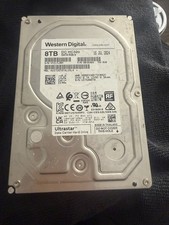
Western Digital 0B36404 Ultrastar DC HC320 8TB 7200RPM SATA HDD, HUS728T8TALE6L4
$250.00

Western Digital 1TB 3.5" SATA III 7200RPM Desktop Hard Drive
$34.99
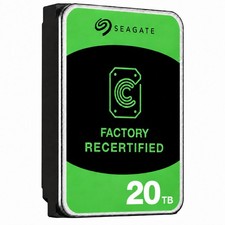
Seagate Exos ST20000NM003C 20TB CMR 7200RPM SATA6Gb/s 3.5" Enterprise Hard Drive
$509.99
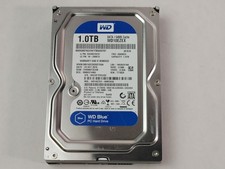
Western Digital WD Blue WD10EZEX 1 TB 3.5" SATA III Desktop Hard Drive
$23.99

Dell ST6000NM0034 1HT27Z-150 NWCCG 6TB SAS 3.5 7.2K ENTERPRISE SERVER DRIVE
$68.99

Seagate Exos ST2000NX0253 HDD 2TB SATA 7.2K 2.5" 512b/s
$55.00

(ST8000NM0045) SEAGATE ENTERPRISE 8TB 7200RPM 4Kn SATA 6Gb/s 3.5" HARD DRIVE
$199.99

DELL 2TB Enterprise HDD (7200RPM, 3.5", SATA III, 128MB Cache) HUS722T2TALA600
$49.95



 Reply With Quote