

 Reply With Quote
Thanks for the tip. The weird thing is my wireless card works when booting off of the cd but then stops working when i install onto my HD. What's changed? Older driver, different boot scripts?


For those of you who have wireless pci cards in your desktop and Knoppix is unable to detect them properly, you may want to try this.
1. Run hwsetup as root - hopefully your card will then be detected.
2. Run wlcardconfig.
3. Run netcardconfig.
This got me up with a dlink 520 card hope it helps you as well.
Thanks for the tip. The weird thing is my wireless card works when booting off of the cd but then stops working when i install onto my HD. What's changed? Older driver, different boot scripts?
This does not work for me.
I have the same problem, my internal wireless card works fine when booting from cd. . . but fails with HD install. Im working on trying to find some info....if I find it I will post it for you.
which install are u using: Beginner, debian, or knoppix?Originally Posted by Jeremymeindl1
is u use knoppix is should copy just as the cd to hd
Networking has been breaking ever since people first started "installing" Knoppix to HD. The second post ever made to the HDD forum is about networking that worked from hard disk but broke after an "install", and it seems to have continued over the nearly 3 years since then. Sometimes it seems to be something as simple and stupid as a permission on a file that is not set right, sometimes it is more complex. It doesn't seem to get fixed. But it is certainly something you should expect if you elect to "install" knoppix rather than install Debian.
So will the Wireless PCI Card, when Knoppix is install to your HDD ,work?
I have Knoppix installed on an older Del Notebook. It has USB 1.1 and I am using a USB Wireless network.
Using Linksys Wireless-G model WUSB54G ver 4
I do the following to get it going.
1. Run Kwifimanager (it will not find any SSIDs or show any signal but don't worry about it)
2. Run netcardconfig
3. Select NO on DHCP (DO NOT USE DHCP!)
4. Select all the defaults don't worry about what it uses for an IP.
5. Kwifimanger will now light up and you can search for SSIDs
6. Select the SSID you want to link to.
7. Run netcardconfig again this time select DHCP.
You are now up and running.
The next time you boot up it may or may not connect. If not use the seven steps above to get back on.
I do not know why it needs a default IP to do a DHCP but it does.
The above steps will get your laptop working in an airport or motel that has wireless internet.
-Dragon
This may be because I'm new to linux, and Knoppix is my first try, but I have tried following the 7 step guide to setting up my LinkSys WUSB54G adapter with no luck. I looked at the USB Viewer and it does read that it is a LinkSys product.
I follow step one and get the expected result. I follow step two and get a "No Network Device Found" dialog with the only option being to choose OK. When I chose OK it closed the netcardconfig window. What do I do to get around this dialog box and get to step 3?
Thanks in advance for assistance
I have been on the hunt for the "Holy Grail" to get the hD install to work also, tell me what verision that you are using and I will tell what you may can do to get it up and running. I have gotten the wireless running from 3.2 to 3.7 and am working on 3.8 at the time. Some cards just wont work well with linux so you may need to change cards but I think linksys should.
 Posting Permissions


Lenovo ThinkStation P520 Intel Xeon W-2123 3.6GHz 900W - NO RAM/ GPU/ HDD/ OS
$189.98

Dell EMC PowerEdge R440 Xeon silver 4215 2.5GHz 16 GB ram 2x 550W PSU No HDD
$275.00

Intel Xeon E5-2697 V2 LGA2011 Server CPU Processor 2.7GHz 12 Core SR19H 130W
$35.00
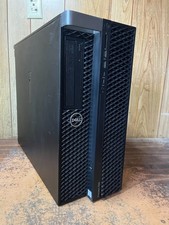
Dell Precision 7820 Win 11 Gaming Computer Xeon Silver 4112 16GB GTX 1080
$320.00

Intel Xeon E5-2699 V4 2.20GHz 55M 22-CORES LGA2011-3 Server Processor 145W SR2JS
$84.49

Intel Xeon E5-2690v2 SR1A5 10-Core 3.00GHz 25MB 130W LGA2011 CPU *km
$11.99

Intel Xeon W-2255 SRGV8 3.7GHz 10-Core LGA2066 Server CPU Processor
$199.99

Intel Xeon E5-2698 V4 20CORE 2.2GHz 50M Processor SR2JW *km
$38.99
Dell Precision 7820 Win 11 Gaming Computer Xeon Silver 4112 32GB GTX 1080
$350.00

Dell Precision T5820 950W Workstation 4.00GHz W-2125 No RAM/ GPU/ HDD/ OS
$144.98