-
Senior Member
registered user
How to recover a Ruined filesystem of one partition with fsck
I ruined a filesystem where my Debian 6.0.3 resided in an ext3 filesystem and I boot using multiboot option on grub.cfg. While automatically running fsck Debian gave me an whether to run fsck on a mounted partition. I accidentally pressed "enter" and now can't access the filesystem.
How to recover the filesystem? Knoppix has gparted but gpart was not installed. So I installed and ran gpart but it doesn't help.
How can I recover the data there?
The snapshot will illustrate.
Accidentally_fsck_booted_partition.jpeg
-
Senior Member
registered user
Oof! Thank God! Ran
in superuser mode, and was saved. gparted didn't work!
Tags for this Thread
 Posting Permissions
- You may not post new threads
- You may not post replies
- You may not post attachments
- You may not edit your posts
-
Forum Rules


16GB KIT (2x8GB) DDR3 Gamer Desktop RAM PC3 MIXED BRANDS VIPER VENGEANCE FURY
$10.00

Crucial 32GB(4 x 8GB) CT8G4DFS824A.C8FDD1 DDR4-2400 UDIMM Desktop RAM - CR352A
$89.95

Netac DDR4 32GB 16GB DDR4 3200MHz UDIMM C16 Desktop Internal Memory RAM Kit
$99.99

Samsung 32GB DDR4-2666 PC4-21300 288-Pin DIMM RAM M393A4K40CB1CRC0Q
$185.00

Micron 16GB (2x8GB) 2Rx8 DDR3 1600MHz PC3-12800U Desktop RAM
$19.99
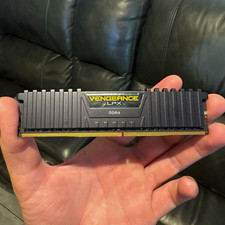
Corsair Vengeance LPX 16GB (1x16GB) DDR4 3000MHz DIMM 288-Pin CMK16GX4M2B3000C15
$249.99

Samsung 32GB DDR4-2666V-2Rx4-RB2-12 RAM M393A4K40CB2-CTD6Q
$169.00

DDR4 Laptop RAM 4GB 8GB 16GB 32GB 2400 2666 3200 Samsung Hynix
$66.00

Micron 32GB 1x32GB DDR5 5600 CL46 ECC Unbuffered SO-DIMM MTC20C2085S1TC56BD1
$399.00

Corsair Vengeance DDR3 8GB 16GB 32GB 1866MHz PC3-14900 Desktop RAM Memory DIMM
$43.00



 Reply With Quote