-
Junior Member
registered user
Use 2 USB drives, one for permanent document or image or file storage
Some possibility. If your computer has two USB positions. Buy a second USB drive. Format as EXT4. Copy existing /home contents to this drive. Using old pendrive, from Knoppix 7.4.2 DVD create a new Knoppix system with say 12GB Knoppix system, remainder of USB as overlay (e.g. 16GB USB would give 12GB system and 4Gb overlay) Then start Knoppix 7.4.2, add your set up as you want, then mount second USB drive and use it to store documents etc as a separate USB drive. Thus documents etc are stored independently of knoppix version on system drive.
 Posting Permissions
- You may not post new threads
- You may not post replies
- You may not post attachments
- You may not edit your posts
-
Forum Rules


(New) AMD Ryzen 7 5700X 8 Core 16 Thread AM4 Unlocked 3.4 GHz CPU OEM Tray
$174.99

SGIN 17.3" Laptop Intel Quad-Core Up to 2.4 GHZ 8GB RAM 256GB SSD HD
$229.99
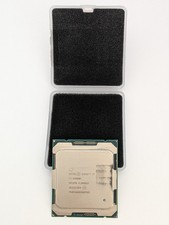
Intel Core i7-6900K SR2PB 8-Core 3.20GHz CPU LGA 2011 (Socket R)
$60.00

AMD Ryzen 7 PRO 8700GE 8-Core/16-Thread Up to 5.1GHz AM5 (FL1)
$189.00

Apple Macbook Pro 13" M1 8-Core 16GB 512GB - Good
$464.99

Intel Xeon E5 - 2667V2 / SR19W 3.30GHz 25MB 8-Core CPU Socket LGA2011
$30.00

AMD Ryzen 7 7800X3D 4.20GHz Quad Core 100-000000510 8 Thread AM4
$279.99
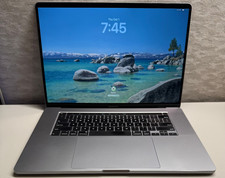
2019 MacBook Pro 16� A2141 8-Core Intel i9 2.4GHz 32GB 1TB Radeon 5500M 8 GB
$360.00
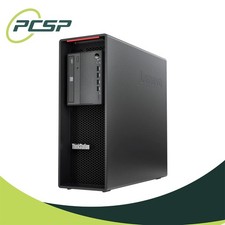
Lenovo ThinkStation P520 Intel Xeon W-2245 8-Core 3.90GHz - NO RAM/ GPU/ HDD/ OS
$359.98

Dell OptiPlex 5070 SFF i7-9700 (8-Core) 3.0GHz 16GB 256 SSD Windows 11
$250.00



 Reply With Quote