

 Reply With Quote
It ma be noteworthy that the NTP security bug fix was Apple's first ever automated security update pushed on Mac OS users.
The NTP developer himself offers an update for Windows users.
Until now, Debian does not care.


Meinberg Security Advisory 1405 was issued on 22 Decmber 2014 about vulnerabilities detected in versions 4.2.6 and earlier of the NTP package.
Version 4.2.8 was subsequently released and is already made available by many distros, but apparently not yet by Debian.
It ma be noteworthy that the NTP security bug fix was Apple's first ever automated security update pushed on Mac OS users.
The NTP developer himself offers an update for Windows users.
Until now, Debian does not care.
Greetings, Philo.
Your Debian NTP security concern may get more attention & action posted on Klaus K's
debian-knoppix developer's mailing list, rather than here. See for example:
https://lists.debian.org/debian-knop.../maillist.html
Hi, utu.
Debian is well aware:
https://security-tracker.debian.org/.../CVE-2014-9295
I am sure KK also knows and is just waiting for the Debian maintainer/packer to move.
I should have said 'packager'.
You don't need to wait for any action of KK. Use aptitude, install the security update of ntp and you'll get
ntp jessie, sid 1:4.2.6.p5+dfsg-3.2 fixed
Hello, Werner.
Could you be more explicit to some of us novices that use Synaptic,
on just what commands to put into aptitude to get the desired result?
Thanks in advance.
Last edited by utu; 12-28-2014 at 01:31 AM.
Type within a terminalto get the ncurses based frontend of aptitudeCode:su aptitude
- => [F10] => Actions => Update package list
- You''ll see the line "--- Security updates" => [Enter]
- go down with the arrow key to the line "--- net......" => [Enter]
- go down to "--- main ......" => [Enter]
- go down to "i ntp ......"
- use [+] or [F10] =>Package => Install
- use [g] [g] to install the security update
- use [q] to quit aptitude.
Be carefull! Knoppix is a mix of different versions and sometimes you'll get many problems if you want to install security updates and you need experience to solve the violated dependicies. When in doubt use
[F10] => Actions => Cancel pending actions
within aptitude.
Last edited by Werner P. Schulz; 12-28-2014 at 06:33 PM. Reason: not only [+] from the num-block works
Thanks, Werner.
I belatedly note that for my Knoppix 7.4.2 that if I look at
Synaptic>properties>versions, there are other version choices
including the testing dfsg-3(testing) already available under
package>force version. Seems like that might be a viable
means of upgrade for Knoppixers as well. What do you think?
I have a similar but different situation with another Debian-derived LiveUSB,
with which you are familiar, that uses ntpdate without ntp, and for
which no version alternatives similar to Knoppix's show up in Synaptic.
I presume you would recommend your aptitude approach for that system's
security upgrade as well?
Also, a belated seasons greetings to you.
You can use synaptic, but the big disadvantage: it doesn't differ between updates and security updates and it cannot try to solve violated dependencies. Within Knoppix I would never do a simple update because the different version problem, and sometimes also security updates are difficult or impossible for this reason. For example try to install the security update of pidgin.
Within MX-14 I can also see different versions under package > force version for "ntpdate". Perhaps you have to reload the package list.
Why not mention MX-14? It is a very nice and little Live system and also suitable for HD installation. With the HD installation of MX-14 you have not the problems which you get with a HD installation of Knoppix.
 Posting Permissions


Samsung 2.5" 870 EVO SSD SATA III 250GB 500GB 1TB Internet Solid State Drive Lot
$60.00

External SSD 1TB 2TB 4TB Portable Hard Drive USB 3.0 Type-C High Speed PC Mac
$19.99

Dell Latitude 14" Laptop Computer Intel i5 Up To 32GB RAM 1TB SSD Windows 11 Pro
$545.25

1TB 7.2K RPM SAS 12Gb/s 2.5" Enterprise HDD for PowerEdge Servers | G14 Tray
$117.99

1TB Kingston DataTraveler Max DTMAX/1TB USB Type-C Flash Drive
$86.95

SAMSUNG T7 Portable SSD 1TB Indigo Blue USB 3.2 Gen2 External MU-PC1T0H/AM
$159.99

Crucial MX500 1TB 2.5" SATA III Internal SSD CT1000MX500SSD1
$99.99
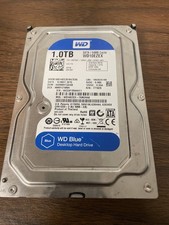
Western Digital WD Blue 1TB SATA 3.5in 7200RPM 64MB Internal HDD WD10EZEX
$14.99

Seagate Desktop 1TB/1000GB SATA 3.5" HDD Hard Drive
$29.99

EDILOCA EN880E 1TB M.2 NVMe PCIe Gen4 Internal SSD for Laptop/PC
$115.00