

 Reply With Quote
What is the exact name of this tool you've found within Synaptic?Spanish translation for Libreoffice
Normally you don't need Synaptic to install additional tools for LibreOffice. Have a look for example at this website and especially at this PDF.


 Language Pack for Libreoffice problem
Hello.
Has someone had a problem while installing an additional language pack for Libreoffice on Knoppix, while using Synaptics Package Manager?
My problem is, when I'm trying to install for example, the Spanish translation for Libreoffice, Synaptics requires to "Uninstall" some things and update others,
while is actually, uninstalling the whole Libreoffice suite. But the language pack install succesfully, but it leaves me broken packages of Libreoffice that are unable
to repair.
Note: I have Knoppix 7.4.2 installed on a Kingston DT SE9 32GB, with persistent image
Please note i have re-installed the whole system 5 times and the same error continues. Please avoid telling that the persistent image is corrupt, Knoppix installation is
corrupt, since it has fresh untouched settings or your system is obsolete.
What is the exact name of this tool you've found within Synaptic?Spanish translation for Libreoffice
Normally you don't need Synaptic to install additional tools for LibreOffice. Have a look for example at this website and especially at this PDF.
Not sure if this thread will help
http://knoppix.net/forum/threads/296...or-LibreOffice
It did help me install myspell-en-gb successfully.
Sorry about the long time since thread was with no activity
Werner, you can find it like "libreoffice-l10n-es" under Synaptics, this is the official LibreOffice Spanish Translation Pack, it translates al the programs GUI text in the language anyone desires. Im not trying to install extensions, since that is another subject. Have tried again with no succes, instead, it needs to uninstall LibreOffice, and install the LP, .....strange.
SOLVED Thanks Superman. Credits to him.The key is NOT DEPENDING FROM SYNAPICS INSTALLER.1.- First identifie your LibreOffice build. Knoppix 7.4.2 is 4.3.2.2, for Debian Wheezy / Stable (Keep this in mind)2.- Download your LibreOffice Language pack of your choice from this page https://packages.debian.org/wheezy/localization/ (This is Debian's package source for every Debian-based build like Knoppix)3.- After you download it , right click on the .debs package and open it with GDebi Package Installer4.- GDebi will recognize the package showing "all dependencies are satisfactory"5.- Press install button6.- Once installed, close, and enjoy LibreOffice in your language.Note: This is not for installing a dictionary for correction. This is to change the GUI's language. Thanks to everyone and use Linux.
@ pixtun
Glad the link helped. All credit to klaus2008!
 Posting Permissions

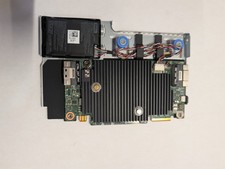
Dell 3KDWX PERC H755 12Gb/s SAS 8GB RAID Controller
$950.00

OWC Mercury Elite Pro 2 Bay RAID Enclosure with USB 3.2 for Dual 3.5 inch HDDs
$87.99

Broadcom 9600-24i RAID Controller PCIe Gen 4.1 Tri-Mode NEW 05-50111-01004
$649.99

Intel VROC Premium RAID Controller Card PCIe Add-On Module VROCPREMMOD
$265.00

2-Bay/4-Bay Hard Drive Enclosure for 3.5"/2.5'' SATA HDD/SSD 10Gbps USB-C 3.2
$75.99

WAVLINK RAID 2 Bay Hard Drive Docking Station SATA 2.5/3.5'' SSD HDD Enclosure
$119.99

Acasis USB 3.2 2 Bay HDD RAID Enclosure for 2.5/3.5" SATA Drives External Array
$55.00

Broadcom LSI 9305-16i 12Gbps SAS-3 PCIe x8 HBA 16-Ports Raid Controller
$64.99

CalDigit VR minin 2 Portable Raid Storage On The Go
$75.00

Areca ARC-1882IX-24 (16i4e)24-Port RAID Controller Card w/BBU /HDD Monitor Board
$300.00