-
SOLVED Thanks Superman. Credits to him.The key is NOT DEPENDING FROM SYNAPICS INSTALLER.1.- First identifie your LibreOffice build. Knoppix 7.4.2 is 4.3.2.2, for Debian Wheezy / Stable (Keep this in mind)2.- Download your LibreOffice Language pack of your choice from this page https://packages.debian.org/wheezy/localization/ (This is Debian's package source for every Debian-based build like Knoppix)3.- After you download it , right click on the .debs package and open it with GDebi Package Installer4.- GDebi will recognize the package showing "all dependencies are satisfactory"5.- Press install button6.- Once installed, close, and enjoy LibreOffice in your language.Note: This is not for installing a dictionary for correction. This is to change the GUI's language. Thanks to everyone and use Linux.
 Posting Permissions
- You may not post new threads
- You may not post replies
- You may not post attachments
- You may not edit your posts
-
Forum Rules


OPNsense pfSense 8-Core Atom C3758 2.2GHz 8GB DDR4 64GB SSD 8x NIC QAT AES VPN
$145.00

OPNsense pfSense 16-Core Atom C3958 16GB ECC RAM 512GB SSD 8-Port QAT AES-NI VPN
$288.00

pfSense Firewall 16-Core Atom C3958 8GB DDR4 RAM 64GB SSD 8x 1Gbe QAT AES-NI VPN
$184.99

Fortinet FortiGate FG-40F Network Security Firewall NO RACK EARS
$49.99

OPNsense Firewall VPN QAT 8-Core Atom C3758 2.20GHz 16GB DDR4 128GB SSD 8xNIC
$175.00

Fortinet FortiGate 60F FG-60F UTM UTP License Until 2027 Network Security FW VPN
$229.99

Fortinet FortiGate 60F FG-60F P24286-03-13 Network Firewall Security Appliance
$155.75

Palo Alto PA-220 Next-Gen Firewall 520-000309-00J
$40.00

SonicWall TZ280 Firewall 03-SSC-6933 Advanced Edition 3YR NEW SEALED
$999.99
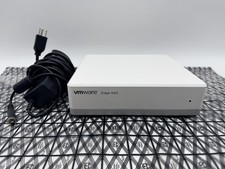
OPNsense Firewall Router VMware Edge 640 Atom C3758 32GB ECC RAM 256GB SSD 10Gbe
$284.99



 Reply With Quote