

 Reply With Quote
Hi George,
it could be useful to know more about your graphics card and monitor resolution.


I bought the current magazine, ran the live DVD just fine, and downloaded to an 8 GB flash drive. It boots just fine, too, and seems to install correctly. But after the splash screen (with Linux Mag ad) loads, it seems to quit. That is, no icons appear at the bottom of the screen, thus no portal to the GUI Knoppix. If I let it sit a while, the random screensaver take over, so it seems to be running under the hood. I can get to the terminal and execute various Linux commands. I don't know enough about Knoppix yet to do more to help.
Suggestions? I'm downloading 7.4 to see if that works.
George
Hi George,
it could be useful to know more about your graphics card and monitor resolution.
It is a Compaq CQ60 with Nvidia GeForce 8200m G, 16:9, 1366X768 graphics. One review called this the poorest rating they had ever seen for a laptop, and there are numerous complaints about its speed for games. But I bought it for a special purpose and to have WIndoze in the house (Vista ugh), a mostly Mac house. It runs well with the DVD and has run Ubuntu and several of the puppies since it was new.
Thanks for the quick reply
BTW, I tried to run it on a Dell machine with XP but the bios wouldn't boot from USB. I saw what to do about that somewhere, but have forgotten where.
BTW2, I tried to download 7.4 but Norton wouldn't let me download BitTorrent.I'll put Norton to sleep to do so when I have time.
George
I thought I replied, but I don't see it so I'll repost.
The machine is a Compaq CQ60 with Nvidia GeForce 8200m G (correctly identified at boot) with 1366X768. By reviews this is a dog and many game players sought ways to replace the graphics card. I used it to advantage when I needed Windows Vista (rarely, mainly to configure a hearing aid) and tried many distress on it. I had Ubuntu installed from 8 thru now and used several Puppies.
The live version of Knoppix works fine off the DVD (nice screensavers) with impressive list of utilities and useful stuff.
I tried the USB on an old Dell with XP, but the BIOS doesn't support USB boots and it has only a CD drive.
No offense to the magazine, but is there a utility here to swap the background.jpg splash screen? If not, I can still handle that.
I'll study the Cheatcodes which I just discovered.
Thanks for you quick response.
George
I would start with the screen cheatcode.I'll study the Cheatcodes which I just discovered.Code:knoppix screen=1366x768
I did that with the same result and, after scanning the cheat codes I booted with knoppix vga=0 debug -b 3 and got the same result.
Upon exiting to the shell I saw "The graphical environment...'
Another hint?
I tried fb1024x768 at boot and that seemed to do the trick. Then I rebooted from the flash drive with no cheats and got the original result: no Home folder at upper left, no icons popping up from bottom.
So I'll live with the fb1024x768 a while, then alter the boot file on the flash drive unless you give other advice.
Thanks
George
Visiting Germany this summer on river cruise from Amsterdam to Basle. Mein Urgrossvater stammt aus Schiltach im Schwarzwald in 1855.
My German is furchtbar, but spellcheck makes it worse.
I would suggest two other attempts:andCode:knoppix video=1366x768Code:knoppix video=1366x768 xmodule=fbdev
If you will open Terminal and type "sudo apt-get remove xscreensaver" (without the quotation marks), this will remove the screen saver files from your system and it won't bother you anymore. Same thing goes for the little blue man icon at the bottom right hand corner of your screen called "kaccessible" that keeps coming back almost instantly each time you try to shut it down--but type "sudo apt-get remove kaccessible" (without the quotation marks) instead of typing "sudo apt-get remove xscreensaver" (without the quotation marks).Originally Posted by gdorner

Last edited by buymystock; 04-12-2015 at 09:58 AM. Reason: needed to add additional information for the person asking the question because they said that they were new to Knoppix
I would love to buy a DVD that has the new 7.5 Knoppix on it! Can you tell me where to send my request?
Bye now, Cheers!
 Posting Permissions


Samsung 2.5" 870 EVO SSD SATA III 250GB 500GB 1TB Internet Solid State Drive Lot
$100.00

Samsung 860 EVO 250GB SSD MZ-76E250 2.5" SATA III Solid State Drive -
$36.99

Samsung 1TB SSD BM91H 1TB (MZ-VMA1T00) Internal SSD M.2
$135.00

Western Digital Blue 3D NAND 500GB Internal 2.5" SSD - WDS500G2B0A
$49.99

Netac 2TB 1TB 512GB 256GB Internal SSD 2.5inch SATAIII Solid State Drive lot
$549.00
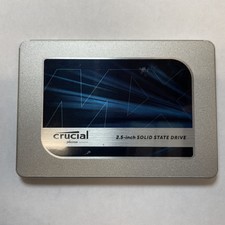
Crucial MX500 1TB 2.5" SATA III Internal SSD CT1000MX500SSD1
$99.99

Fanxiang 1/2/5/10Pcs 2.5'' SATA SSD Lot 1TB 2TB 4TB 512GB 256GB TLC Internal SSD
$129.99

Fanxiang 256GB 512GB 1TB 2TB 4TB SSD Lot 2.5'' SATA Internal Solid State Drive
$42.99

Netac 120GB 256GB 1TB 2TB Internal SSD 2.5'' SATAIII 6Gb/s Solid State Drive lot
$119.99

Intel Solid-State Drive DC S3500 Series 240GB Internal 2.5" (SSDSC2BB240G4P) SSD
$29.99