-
And I have no floppy drive on my ladtop...
-
...but you know about the option to run KPH directly from the CD without the floppy?
If KPH will be included in future versions of KNOPPIX (and this seems to be BIG point for many people - at least when i look at my email inbox) it will behave exactly like this (except knoppix.sh will be renamed).
Matthias
-

Originally Posted by
Schwarze
...but you know about the option to run KPH directly from the CD without the floppy?
If KPH will be included in future versions of KNOPPIX (and this seems to be BIG point for many people - at least when i look at my email inbox) it will behave exactly like this (except knoppix.sh will be renamed).
Matthias
The only option I know of is to rebuild the knoppix cd with persistant home's knoppix.sh. Is there another way?
Also, along the lines of the .root file, what about profiles? I may want things more specific on a certain computer on the local lan, but I may want a different setup for any general computer I may "take over" on the road. As far as seperate .root directories go, there could just be links to the items that want to be kept (such as installed programs and their libraries) while allowing knoppix to build its own (such as /etc/fstab, X, etc).
-
If think I have found the simple way to install some application ..
but i have still a little pb !!
the command I'd used are :
lndir /KNOPPIX/usr /mnt/hda2/install_dir
mount --bind /mnt/hda2/install_dir /usr
but the problem is that I can not access to much of applications after ...
Why ?? /KNOPPIX/usr is different from /usr or is something bad on command ..?
So I return to my try .. and doc yeap MAN PAGE !!!! I love IT LOL 
__________________________________________________ ___________
Un lilliputien en délire ....
-
Originally Posted by
lilliput
If think I have found the simple way to install some application ..
but i have still a little pb !!
the command I'd used are :
lndir /KNOPPIX/usr /mnt/hda2/install_dir
mount --bind /mnt/hda2/install_dir /usr
but the problem is that I can not access to much of applications after ...
Why ?? /KNOPPIX/usr is different from /usr or is something bad on command ..?
So I return to my try .. and doc yeap MAN PAGE !!!! I love IT LOL
__________________________________________________ ___________
Un lilliputien en délire ....
It doesn't appear that you have really done anything different. Currently /usr is just linked to /Knoppix/usr. What you did was create a link to /Knoppix/usr, mounted it in a different directory and then remounted it as /usr. The only way the above would work (with persistent home) would be if you had enough hard drive space to do something like this:
mkdir /home/knoppix/.root
cp -R /Knoppix/usr /home/knoppix/.root/
mount --bind /home/knoppix/.root/usr /usr
However /usr is huge and it would seem you would need a VERY large usb pen drive to do it this way. Now if you could install a program chroot /home/knoppix/.root then have the system be able to check there first then goto /, I think that would be more efficient. This is easily done via the PATH statement as long as it is checked first for executables, however, where I get lost are things like lib, etc and other crucial directories and links, especially if you have to add a module to the kernel (such as for a winmodem.)
-
no because lndir create just a link so nott very big !!
-
the link is your problem though! Lets call /Knoppix/usr = K, /usr = u and your new mount in /mnt = m.
Your approach:
K > (link) m > u
Knoppix approach
K > u
outside of the extra step, there is no difference. Both eventually link back to K. The reason you have problems with installing is the inability to overwrite links, especially those further down the directory. For instance, if only the file is linked, that file can be deleted and you can replace it with a file of your own. However, if a whole directory is linked and you have to go down a directory or two to get to your file. You cannot delete that file because once you entered the linked directory (in this case /usr linked to /Knoppix/usr), you are being actually sent to the /Knoppix/usr directory on the read-only cdrom. Even your redirect does not change this.
-
I solve my pb by ..
mkdir /mnt/hda2/usr
lndir /KNOPPIX/usr /mnt/hda2/usr
rm -f /usr
ln -s /mnt/hda2/usr /usr
But you were rigth my /mnt/hda2/usr is enough heavy 106M I think thats because there is too much little file and "format" with good option would be better.
But what do you offer to get it ??
-
I mean for a better solution ..
-
Ok I found a solution to install *.deb;
___________
dpkg -x name.deb ~./root
___________
and for compile a src ..
./configure --prefix=~./root
make
make install
___________
it was enough simple .. !!
so now we have to look for the /etc ..
 Posting Permissions
- You may not post new threads
- You may not post replies
- You may not post attachments
- You may not edit your posts
-
Forum Rules


OWC Mercury Elite Pro 2 Bay RAID Enclosure with USB 3.2 for Dual 3.5 inch HDDs
$87.99
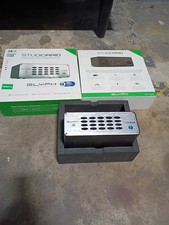
Glyph StudioRAID 28TB External RAID Hard Drive Thunderbolt 2 USB 3.0 7200RPM
$300.00

Broadcom 9600-24i Tri-Mode RAID Controller 4.0 NVMe SAS SATA NEW 05-50111-01003
$639.69

Intel VROC Premium RAID Controller Card PCIe Add-On Module VROCPREMMOD
$265.00

WAVLINK RAID 2 Bay Hard Drive Docking Station SATA 2.5/3.5'' SSD HDD Enclosure
$119.99

2-Bay/4-Bay Hard Drive Enclosure for 3.5"/2.5'' SATA HDD/SSD 10Gbps USB-C 3.2
$119.99

Dell PowerEdge HBA330 LP PCI-E 12GBs RAID SAS Controller Adapter J7TNV
$18.95

Acasis USB 3.2 2 Bay HDD RAID Enclosure for 2.5/3.5" SATA Drives External Array
$55.00
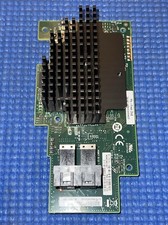
Intel® Integrated RAID Mezzanine Module RMS3HC080 SAS/SATA H24093-204
$24.97

Adaptec ASR-71605 16-Port 1Gbps PCIe RAID Card High Profile
$18.49



 Reply With Quote