

 Reply With Quote
Simply this:
right-click panel > Add/Remove Panel Items


How to add Panel applets to lxpanel --> panel --> Panel Preferences --> Panel Applets ? I have read /usr/share/lxpanel/ui and /usr/share/lxpanel/profile/default/panels/panel
I see that the text configuration file panel has codes for clock, CPU, etc.
Has this any connection with adding applets?
Simply this:
right-click panel > Add/Remove Panel Items
No, Utu, you did not get my point
The screenshots will precisely explain what I want. I want to autostart any arbitrary application while start up, as shown.I want Compiz or any app to start while start up.png
Your method, described by the snapshot, will not load any arbitrary app during start-up, only those from the list
Panel Preferences.png
I retract my statement, it will. using Add in Panel Preferences, i.e., Add Plugin to panel. I have to select the Application Launch Bar, then with this, I select the specific application by Edit. Yes, but not like those, such as, Digital Clock, Temperature Monitor, Battery Monitor, etc., directly, i.e., directly adding adding an application to this Panel Applets List.
I wish it to change codes by hand, not with another application.
Perhaps start here?
http://wiki.lxde.org/en/LXPanel
Yes, that's it!Originally Posted by utu

Thank you, Utu!
 Posting Permissions

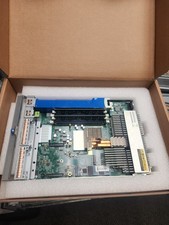
HPE Edgeline e920 Server Blade
$350.00

Dell PowerEdge M630 Blade Server 2x Xeon E5-2680 v4, 2F3MP , 4GDP5 ,R10KJ ,JVFVR
$95.20

Dell PowerEdge M620 Blade Server 2x Xeon E5-2680v2 256GB DDR3 RAM NO HDD
$349.99
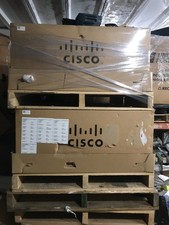
NEW Cisco UCSB-5108-AC2 Blade Server Chassis 8 Slot 6RU Chassis 4 X PSU - DW
$599.40
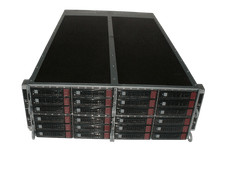
Supermicro 4U 32x 3.5 Bays 4-Nodes | 8x E5-2660 v3 2.6Ghz | 64gb RAM | 9207-8i
$699.99

NETAPP HCI NAF-1701 SuperMicro Server 4X BLADE H410C 8X GOLD 5120 4 NODE SERVER
$1499.97

Dell Poweredge C6400 24x 2.5’’ 2x 2400W 4x C6420 Nodes H330 | 2x SFP | 8x Trays
$799.99

Dell PowerEdge M640 Blade Barebone Server Dell P/N: HHB006 Tested Working
$149.99

Cisco UCS 5108 Blade Server Chassis Enclosure N20-C6508 4x PSU 8x Fans 2x Fabric
$174.99

Supermicro 938-16 16-LFF MicroCloud SuperServer 5038MR-H8TRF *No Blade Servers*
$159.99