

 Reply With Quote
Simply this:
right-click panel > Add/Remove Panel Items


How to add Panel applets to lxpanel --> panel --> Panel Preferences --> Panel Applets ? I have read /usr/share/lxpanel/ui and /usr/share/lxpanel/profile/default/panels/panel
I see that the text configuration file panel has codes for clock, CPU, etc.
Has this any connection with adding applets?
Simply this:
right-click panel > Add/Remove Panel Items
No, Utu, you did not get my point
The screenshots will precisely explain what I want. I want to autostart any arbitrary application while start up, as shown.I want Compiz or any app to start while start up.png
Your method, described by the snapshot, will not load any arbitrary app during start-up, only those from the list
Panel Preferences.png
I retract my statement, it will. using Add in Panel Preferences, i.e., Add Plugin to panel. I have to select the Application Launch Bar, then with this, I select the specific application by Edit. Yes, but not like those, such as, Digital Clock, Temperature Monitor, Battery Monitor, etc., directly, i.e., directly adding adding an application to this Panel Applets List.
I wish it to change codes by hand, not with another application.
Perhaps start here?
http://wiki.lxde.org/en/LXPanel
Yes, that's it!Originally Posted by utu

Thank you, Utu!
 Posting Permissions


Fujinet 1.7.1 Atari 400 800 800XL 130XE 65XE XEGS Assembled, Tested, Working
$99.99

Atari 400 / 800 Computer Memory Module 16K RAM PCB CX853 - Works Perfectly
$18.95
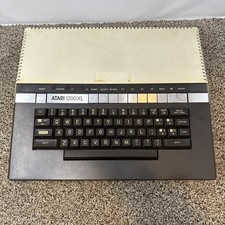
Atari 1200XL Computer Game Console Vintage Rare FOR PARTS OR REPAIR READ
$270.00

Atari 400 Home Computer System includes Power Cord G2U
$159.99
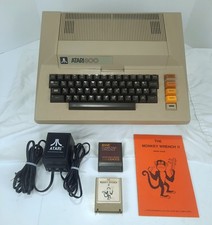
Atari 800 48K 8-bit Computer System With Power Supply & Extras Tested & Working
$354.98

Atari 1200 XL home computer with original owners guide and power supply power on
$255.00
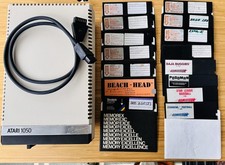
Vintage Atari 1050 Disk Drive w/ SIO Cable & 32 Games/Programs - UNTESTED
$67.76
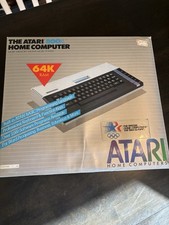
Atari 800XL Home Computer 64K RAM in Original Box 1984 Olympic Edition Untested
$149.99

GreaseWeazle v4 board USB floppy drive adapter Retro All Formats
$35.00

DEFECTIVE Atari 810 Vintage Computer Disk Drive powers on Unit Only Boo G3D
$49.29