-
Error after synaptic reload ... synaptic nolonger runs. (Knoppix 7.4.2)
I am running Knoppix 7.4.2 from a flash drive. I have had no issues since I first installed it to flash drive in 2014 and created a persistent memory file. I have done several synaptic reloads with no issues.
A couple days ago I did a synaptic package manager reload and for the first time at the end a window appeared with errors. Here is a snapshot of the screen ...
snapshot3b.jpg
I closed the error window , there was a pause and another window appeared with an error.
snapshot4b.jpg
I closed this error window and synaptic closed. Now each time I start synaptic package manager , the same error window appears and when I close the error window synaptic closes.
I can no longer run synaptic package manager.
I then restarted Knoppix without my knoppix-data.img file. I started synaptic package manager and did a reload. Again , at the end I got the first window reporting key errors. I closed the error window. This time I did not get the second error window. Synaptic is still up and running.
Can this issue be fixed so I can still use my current knoppix-data.img persistent memory file or do I have to create a new persistent memory file and recreate/reestablish all the changes I had made?
Regards,
Larry
-
The default release for Knoppix 7.4.2 has been wheezy, but some days ago wheezy has changed from stable state to oldstable and will no longer be supported. Now the release "jessie" is stable.
To solve the error within Knoppix 7.4.2 and 7.5 (CeBIT version) you need a new file '/etc/apt/apt.conf' containing
Code:
APT::Default-Release "jessie";
After this you have to do
Code:
su
aptitude update
apt-key update
Please don't try upgrade or dist-upgrade with Knoppix!
-
Thanks Werner.
I followed the instructions you supplied and synaptic package manager is now working with my existing persistent memory.
I don't do upgrades.
I use synaptic to get packages like gfortran .
Regards,
Larry
-
'aptitude update' ends with this error message, which synaptic will repeat after "reloading":
W: There is no public key available for the following key IDs:
7638D0442B90D010
W: There is no public key available for the following key IDs:
9D6D8F6BC857C906
W: There is no public key available for the following key IDs:
7638D0442B90D010
W: There is no public key available for the following key IDs:
9D6D8F6BC857C906
W: There is no public key available for the following key IDs:
7638D0442B90D010
W: There is no public key available for the following key IDs:
7638D0442B90D010
W: There is no public key available for the following key IDs:
7638D0442B90D010
Should we just ignore it and assume that the reload took place?
Last edited by philo; 05-10-2015 at 03:04 PM.
-
Which Knoppix version and what's the output of
-
Senior Member
registered user
I'm having the same problems
Here's what I get, for example:
Code:
knoppix@Microknoppix:~$ su
root@Microknoppix:/home/knoppix# aptitude update
W: Ignoring Provides line with DepCompareOp for package php-psr-log-implementation
W: Unknown Multi-Arch type 'no' for package 'compiz-gnome'
W: Unknown Multi-Arch type 'no' for package 'compiz-core'
W: You may want to update the package lists to correct these missing files
Ign http://http.us.debian.org wheezy InRelease
Hit http://http.us.debian.org wheezy Release.gpg
Hit http://http.us.debian.org wheezy Release
--------------------------
snip lot of stuff here
--------------------------
W: There is no public key available for the following key IDs:
7638D0442B90D010
W: There is no public key available for the following key IDs:
7638D0442B90D010
W: There is no public key available for the following key IDs:
9D6D8F6BC857C906
W: There is no public key available for the following key IDs:
9D6D8F6BC857C906
W: Ignoring Provides line with DepCompareOp for package php-psr-log-implementation
W: Unknown Multi-Arch type 'no' for package 'compiz-gnome'
W: Unknown Multi-Arch type 'no' for package 'compiz-core'
W: Unknown Multi-Arch type 'no' for package 'compiz-core'
W: Unknown Multi-Arch type 'no' for package 'compiz-gnome'

Current status: 47583 new [+163].
root@Microknoppix:/home/knoppix# lsb_release -rd
Description:    Debian GNU/Linux 7.6 (wheezy)
Release:    7.6
php-psr-log is an uninstalled pkg.
Last edited by utu; 05-10-2015 at 04:13 PM.
-
Knoppix 7.4.2 here.
lsb_release -rd
Description: Debian GNU/Linux 7.6 (wheezy)
Release: 7.6
Hoping that helps.
PS - Not using compiz, but Synaptic says it is installed and not upgraded.
Last edited by philo; 05-10-2015 at 04:51 PM.
-
My 'aptitude update' starts like this:
aptitude update
Hit http://ftp.de.debian.org stable InRelease
Ign http://debian-knoppix.alioth.debian.org ./ InRelease
Get: 1 http://security.debian.org stable/updates InRelease [63.1 kB]
Get: 2 http://ftp.de.debian.org testing InRelease [116 kB]
Ign http://debian-knoppix.alioth.debian.org ./ Release.gpg
Ign http://debian-knoppix.alioth.debian.org ./ Release
Get: 3 http://security.debian.org testing/updates InRelease [62.9 kB]
Ign http://debian-knoppix.alioth.debian.org ./ Packages/DiffIndex
----------------
-
I did another synaptic reload and got the same messages ...
W: There is no public key available for the following key IDs:
7638D0442B90D010
W: There is no public key available for the following key IDs:
9D6D8F6BC857C906
W: There is no public key available for the following key IDs:
9D6D8F6BC857C906
W: There is no public key available for the following key IDs:
7638D0442B90D010
W: There is no public key available for the following key IDs:
7638D0442B90D010
W: There is no public key available for the following key IDs:
7638D0442B90D010
W: There is no public key available for the following key IDs:
7638D0442B90D010
I closed the error window . I then used synaptic package manager to update a couple packages , gawk and grep , and the update was successful.
It appears synaptic is working.
I am running Knoppix 7.4.2 on a flash drive with a persistent memory file.
Larry
-
Senior Member
registered user

Originally Posted by
Ldot

I did another synaptic reload and got the same messages ...
etc,etc
I closed the error window . I then used synaptic package manager to update a couple packages , gawk and grep , and the update was successful.
It appears synaptic is working.
I am running Knoppix 7.4.2 on a flash drive with a persistent memory file.
Larry
On my 7.4.2 setup, looking at doing the same for upgrading Compiz is not so re-assuring.
Many things other than Compiz get tampered-with.
I expect the missing keys to be crucial to getting this right.
 Posting Permissions
- You may not post new threads
- You may not post replies
- You may not post attachments
- You may not edit your posts
-
Forum Rules


16GB KIT (2x8GB) DDR3 Gamer Desktop RAM PC3 MIXED BRANDS VIPER VENGEANCE FURY
$10.00

Netac DDR4 32GB 16GB DDR4 3200MHz UDIMM C16 Desktop Internal Memory RAM Kit
$99.99

Major Brand 16GB (2x8GB) PC3-12800U DDR3-1600MHz DDR3-12800 DESKTOP RAM NON-ECC
$29.99

A-Tech 8GB DDR3 1600 PC3-12800 Laptop SODIMM 204-Pin Memory RAM PC3L DDR3L 1x 8G
$21.68
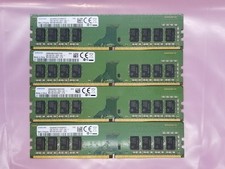
Samsung 32GB (4x8GB) DDR4 1Rx8 288-Pin PC4 UDIMM Desktop RAM Memory M378A1K43CB2
$94.95

Crucial 32GB(4 x 8GB) CT8G4DFS824A.C8FDD1 DDR4-2400 UDIMM Desktop RAM - CR352A
$89.95

DDR4 Laptop RAM 4GB 8GB 16GB 32GB 2400 2666 3200 Samsung Hynix
$66.00
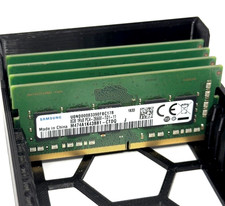
Samsung 32GB 4x8GB DDR4-2666 PC4-21300 ECC SODIMM RAM M474A1K43BB1-CTD Tested
$119.00
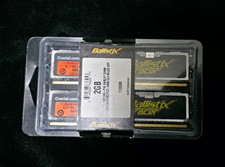
Crucial Ballistix Tracer 2GB (2x1GB) DDR2-800 PC2-6400 240-Pin DIMM
$145.00

Dell 16GB PC4-21300 (DDR4-2666) Memory (SNPPWR5TC16G)
$89.99



 Reply With Quote
/images/buttons/collapse_40b.png#top)