

 Reply With Quote
No! Check the possibilities of your BIOS/UEFI.Does this mean my system will not boot from any USB pen drive ..


I have loaded 7.4.2 onto an 8 GB pen drive. I used the flash-knoppix link on the desk top. There was an error message that stated the cp couldn't extend the partition (I don't have the exact wording). That's a problem for later.
When I interrupt the boot sequence and get to the screen where I select the device to boot from, the pen drive is recognized, but the line reads: 6) -USB HDD.
It's the only line where the device is preceded by a dash.
Does this mean my system will not boot from any USB pen drive or just this one. If it won't boot from any pen drive, there is no point in trying to solve the "cp failed to extend" problem.
Thanks.
No! Check the possibilities of your BIOS/UEFI.Does this mean my system will not boot from any USB pen drive ..
Werner,
Thanks for the reply.
How do I check the capabilities of my BIOS/UEFI? Where do I look and what do I look for?
What does the dash ("-") that precedes the device signify?
Read the manual of your motherboard.
For example, with my Dell Inspiron:Originally Posted by cbgbz

Immediately select either Function Key FN-2 or FN-12 before any boot process starts.
With FN-2, one may select any one of a number of devices from which to boot;
if USB is a choice, select that and a LiveUSB like Knoppix should boot this time only.
If no choice is made here, the first bootable device available in the sequence shown
will be selected for booting. FN-2 also allows you the same option as FN-12 to
re-arrange order of sequence of devices from which to boot.
With FN-12, if USB is a choice, arrange the sequence such that USB is first and a LiveUSB
like Knoppix should boot every time its USB is plugged-in. If the sequential order is saved,
re-arranging the order of sequence of devices from which to boot needs to be done only once.
If USB is available, but not a choice for booting, and if CD is both available, and a
choice for booting, then it is possible to use a Knoppix boot-only CD to achieve booting
from a Knoppix LiveUSB. In this case, one would use FN-2 or FN-12 to select CD to be
first in the order of sequence to boot from the Knoppix LiveUSB.
Your computer may be slightly different; see your owner's manual if it is.
 Posting Permissions


Cisco Nexus N9K-C92160YC-X 48P 25GbE SFP28 6P QSFP+/QSFP28 PE Switch
$439.00

Cisco WS-C3650-12X48UR-L 48-Port Stackable Layer 3 8x10G SFP+ Port Switch
$129.99

Cisco Catalyst C9130AXI-B WiFi 6 802.11ax Wireless Access Point Brand New
$101.99

Cisco Acacia DP04QSDD-E25-840 400G QSFP-DD Coherent DCO Transceiver Module
$699.99

Cisco Catalyst WS-C2960X-48FPD-L 48-Port Gigabit Managed PoE+ Ethernet Switch
$69.99

Cisco | N3K-C3232C | 32-Port 100G QSFP Network Switch W/ 2x PSU, 2x Power Cords
$205.00

CISCO Services Router C891F-K9, Grade B, SKU 16188
$24.94
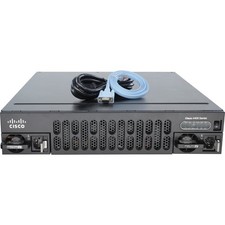
Cisco ISR4451-X/K9 Integrated Services Router
$95.00
CISCO INDUSTRIAL SWITCH IE-3100-8T2C-E New
$1049.00

Cisco Catalyst WS-C2960+24TC-S 24-Port Gigabit Managed SFP Switch
$39.99