-
Senior Member
registered user

Originally Posted by
cbgbz

How do I check the capabilities of my BIOS/UEFI? Where do I look and what do I look for?
For example, with my Dell Inspiron:
Immediately select either Function Key FN-2 or FN-12 before any boot process starts.
With FN-2, one may select any one of a number of devices from which to boot;
if USB is a choice, select that and a LiveUSB like Knoppix should boot this time only.
If no choice is made here, the first bootable device available in the sequence shown
will be selected for booting. FN-2 also allows you the same option as FN-12 to
re-arrange order of sequence of devices from which to boot.
With FN-12, if USB is a choice, arrange the sequence such that USB is first and a LiveUSB
like Knoppix should boot every time its USB is plugged-in. If the sequential order is saved,
re-arranging the order of sequence of devices from which to boot needs to be done only once.
If USB is available, but not a choice for booting, and if CD is both available, and a
choice for booting, then it is possible to use a Knoppix boot-only CD to achieve booting
from a Knoppix LiveUSB. In this case, one would use FN-2 or FN-12 to select CD to be
first in the order of sequence to boot from the Knoppix LiveUSB.
Your computer may be slightly different; see your owner's manual if it is.
 Posting Permissions
- You may not post new threads
- You may not post replies
- You may not post attachments
- You may not edit your posts
-
Forum Rules


Mini Computer Vacuum USB Keyboard Cleaner PC Laptop Brush Dust Cleaning Kit NEW
$13.89

LEVOIT Cordless Vacuum Cleaner, Stick Vac with Tangle-Resistant Design, Up to...
$162.04

V3 Robot Vacuum and Mop Combo,Self-Charging,5000pa Strong Suction,WiFi/Alexa NIB
$82.00

Cordless Air Duster & Vacuum Cleaner for Keyboard & PC Cleaning - 110000RPM Powe
$53.99

2-in-1 Compressed Air Duster & Vacuum, Brushless Motor, 320000RPM
$37.99

US Mini Computer Vacuum USB Keyboard Cleaner PC Laptop Brush Dust Cleaning Kits
$13.89

Multifunctional Handheld Vacuum Cleaner & Blower for Keyboard/PC US SELLER
$39.99

Cordless Handheld Vacuum Cleaner Compatible with DeWalt 20V Battery
$107.67

Mini Computer Vacuum Cleaner & Compressed Air Duster 14500Pa, 110000RPM, Cordles
$53.99
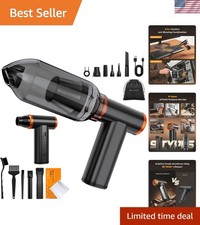
Ultimate 2-in-1 Air Duster & Vacuum - 180-Minute Battery Life for Quick Cleaning
$95.39



 Reply With Quote