-
network persistent home directory.
I wanted a larger home directory that was accessible over the network and internet(when I'm away from the office). This is what I hacked together.
There are probably alot of better ways of doing this, but I didnt really want to remaster the entire CD.
I hope some of you find it usefull.
/dev/sda1 is my 16MB memory card where I save my settings/configuration.
how to do it yourself
=-=-=-=-=-=-=-=-=-=-=
1) setup a share on a samba server with rw access.
2) mount /dev/sda1
3) vi /mnt/sda1/knoppix.sh and add the following at the end of the script:
mkdir /mnt/remotehome
mount -t smbfs -o username=remotehome,password=topsecret,workgroup=W HATEVER,gid=knoppix,uid=knoppix,fmask=700,dmask=70 0 //192.168.0.1/remotehome /mnt/remotehome
losetup /dev/loop0 /mnt/remotehome/home.img
mount -t ext3 /dev/loop0 /home/knoppix
chown -R knoppix.knoppix /home/knoppix
4) umount /mnt/sda1
5) mkdir /mnt/remotehome
6) mount -t smbfs -o username=remotehome,password=topsecret,workgroup=W HATEVER,gid=knoppix,uid=knoppix,fmask=700,dmask=70 0 //192.168.0.1/remotehome /mnt/remotehome
(this will give you 100MB, change to your own requirements)
7) dd if=/dev/zero of=/mnt/remotehome/home.img bs=1k count=100000
8) losetup /dev/loop0 /mnt/remotehome/home.img
9) mkfs.ext3 -c /dev/loop0 100000
shutdown your machine and reboot using "knoppix myconfig=scan" and everything should work smoothly.
...and yes, this could be alot prettier.
-
That post can help me a lot because my hard drive died and i thought about knoppix but running only from a floppy excludes installing new software can changing home dir as you described and having floppy for config files will allow me to install new sofware?. I've got some free space on my server and i am sharing it without setting it as my home dir. Now it will be better but i have a small question is it possible to set remote dir as a config source floppys arent reliable and they are slow. I thing that i will have to remaster cd but how to make that the config will be taken from the network without config (setting up interfaces etc) maybe setting basic config to get rest of the config from the net or even replacing already set with a new one?? It is hard for me to describe it so it wil be imposible to do it without some directions. So please help me. If you can.
Similar Threads
-
By JeffBonn in forum Ideas
Replies: 2
Last Post: 04-30-2005, 06:33 AM
-
By bucodi in forum General Support
Replies: 2
Last Post: 04-19-2005, 10:05 PM
-
By ddrex in forum General Support
Replies: 0
Last Post: 04-04-2005, 07:52 PM
-
By Geof in forum General Support
Replies: 1
Last Post: 01-18-2005, 03:55 PM
-
By Dooley in forum The Lounge
Replies: 0
Last Post: 05-30-2004, 08:43 PM
 Posting Permissions
- You may not post new threads
- You may not post replies
- You may not post attachments
- You may not edit your posts
-
Forum Rules


Yealink T48S VoIP/SIP Phone, 2 x Gigabit Ports PoE 7" Color SIP-T48S | TESTED
$34.95

Poly CCX 400 Desktop Business Media Phone VoIP 2200-49700-019
$49.99

Grandstream VoIP Phone Adapter ATA 1-Line Black Ethernet (RJ-45) Micro USB
$27.07

SIM Bank 32 SIM Card Slots Ethernet SIM Server for GoIP
$400.00

Yealink SIP-T33G IP Phone 4-LineSpeakerphone VoIP Desk Phone Black w/ Power Sply
$25.00

Grandstream WP810 Portable Cordless Wi-Fi IP Phone
$49.28

Cisco / Linksys SPA2102 VoIP 2FXS Phone Adapter with Router (unlocked)
$18.99
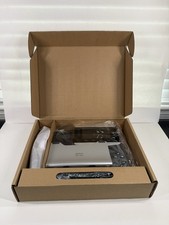
Cisco CP-8851-3PW-NA-K9 IP Phone MPP Multiplatform VoIP 4 New Open Box
$74.99

Cisco CP-8841 IP Phone Charcoal Handset And Stand Included
$27.99
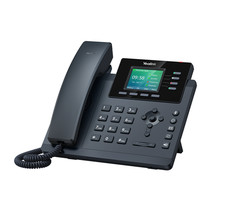
YEALINK T34W PHONE & 2 MONTHS OF PHONE SERVICE
$65.00



 Reply With Quote