

 Reply With Quote
I would use ext3.
Here is a link to get you started.
paul


Hi All,
I am running Knoppix off the cd and I love it. I really want to get into linux and php and I learning quick. However, I am looking for a truly idiots guide to installing Knoppix for dual boot.
I am running WinXP Pro (NTFS partition) on my laptop. I am going to get partition magic (as I need it for work as well) so I can partition my 40Gb harddisk into two 20Gb partitions.
A link to a COMPLETE IDIOTS GUIDE would be appreciated.
Many Thanks
A.T.O.B
ps. Do I use ext2 or ext3 for the partition?
pps. I have limited knowledge of Linux, however, I am advanced in windows and have great technical support knowledge (so I'm not a newbie to computers; just linux)
I would use ext3.
Here is a link to get you started.
paul
fogot the link.
www.phpcad.com/knoppix-install.html
paul
Just remember, if your windows partition is going to be NTFS you can't write to it.
You may want to make a small FAT32 partition that you can read and write to from Knoppix as well as XP.
hello,
i have win xp, windows 2003 server an knoppix in the same hard disk..
the windows parttion is NTFS and ther is no problem, ...
when you turn on the pc it ask you what system you want to run (linux, hda1, hda2)....
Hey ATOB, just done what you are asking about...
The link posted by QA has all the info you need to install Knoppix alongside WinXP, but I'll tell you what I did.
First, I created 2 Partitions using Partition Magic under Windows.... reason being I didnt wanna screw up the OS I use most (AT THE TIME!!!! NOT ANY MORE!!!!) and checked it still booted WinXP up.. Knoppix (Debian really once HD installed) requires 2.5Gb at least for itself and a swap-file partition GREATER IN SIZE to your Ram, don't make it less or it'll run slow when paging....
When all is set up on your hard drive do the knx-hdinstall, sit back and breathe a breath of fresh air at your new super stable OS when it loads up.
LAST NOTE:::
I'm a newb too, and one thing I can tell you is that at some point you are gonna screw it up - BIG STYLE!!
Don't panic when you do coz you WILL find an answer as to how to fix it, unlike under Micro$hit, and it will be painless really.... trust me, I've been there. The only thing is, you need to have some kind of backup to get the info - eg. a second PC with internet connection, or a friend who'll let you come round and get your self-help, but, at the end of the day, it's worth learning how it all fits together under Linux and the rewarding feeling you get is something you won't experience with Windows.
Good Luck and I hope other post repliers would take a note from my reply as to how to reply to us newbs in a language we understand ;P
Mike
PS You guys who know what you doing, let me know if I've got anything wrong in this post plz, I won't take offence unless you're arrogant ...... gluck!!!
BTW, could somebody explain the difference between ext2 and ext3 for us noobs? (Mine is on ext2 at mo and if ext3 is significantly better I'd also like to know how to convert WITHOUT losing any info)
Thanks in advance,
Mike.
Hi All,
Thanks for the response. I will look over the information you have given me. Provided I have time to get Partition Magic I will do this on Saturday.
Thanks for you help
A.T.O.B
TBH You probably don't need Partition Magic, but at the time I did it, i was comfortable using it...... maybe some Linux expert could tell us how and what to use instead (under Linux)
The difference is a journal which keeps information on the files to save long file system checks among other things. You can easily convert with tune2fs if you want to. I would recommend booting from the knoppix CD open a console window and then sudo tune2fs -j /dev/hd?? to convert the filesystem from ext2 to ext3 replace the ?? with drive letter and partition number. I would also recommend reading a few post in this google search.Originally Posted by Doc
 Posting Permissions


Yealink T48S VoIP/SIP Phone, 2 x Gigabit Ports PoE 7" Color SIP-T48S | TESTED
$34.95

SIM Bank 32 SIM Card Slots Ethernet SIM Server for GoIP
$400.00

Poly CCX 400 Desktop Business Media Phone VoIP 2200-49700-019
$49.99

Grandstream VoIP Phone Adapter ATA 1-Line Black Ethernet (RJ-45) Micro USB
$27.07
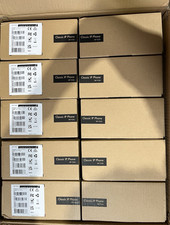
LOT OF 10 NEW Yealink SIP-T33G IP Phone 4-Line PoE Speakerphone VoIP Desk Phone
$699.99

Yealink SIP-T33G IP Phone 4-LineSpeakerphone VoIP Desk Phone Black w/ Power Sply
$25.00

Yealink SIP-T44W VoIP Phone 12-Line Gigabit Speakerphone RJ-45 Gray/Black
$44.00

Grandstream WP810 Portable Cordless Wi-Fi IP Phone
$49.28

Lot Of 5 Poly Edge E550 82M91AA IP Desktop Phone PoE New In Box
$1500.00
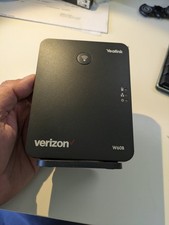
YEALINK W60B DECT VoIP BASE STATION VOIP SIP FOR UP TO 8 HANDSETS + OEM ADPTR
$50.00