

 Reply With Quote
BUGGER ME!!!
Did what you said and it took, like, 1 second to do it!!!
Man, I'm impressed!
Thanx again, Doc.


Thanks Stephen for that info...
Regards Doc.
BUGGER ME!!!
Did what you said and it took, like, 1 second to do it!!!
Man, I'm impressed!
Thanx again, Doc.
Switching over to ext3 means you'll also need to update /etc/fstab to reflect the change.
This is something I want to do. I have Windows xp sp1 home editon, and assumed that if it was ntfs instead of fat32 it wouldn't work. Could you please give me step by step instructions, or if not, point me in the right direction for help.Originally Posted by jmboris
Thanks.
a bit of a problem along the same lines here. I just installed knoppix today....whopeee.... anyway I can see neither my NTFS or FAT32 partition. I have one HDD partitioned into 4 parts.... NTFS, FAT32, ext3, linux swap. I would like to use the FAT32 partit to store stuff like pictures and mp3s so I can access it (read/write) by both my OSes. Can someone tell me how do i get knoppix to see my other two HDDs? I am running win XP on the NTFS btw.
Thanks
Just did a little more research and came across this article. Maybe I am misunderstanding, but by looking at this, one can use the utility QTparted(already on the Knoppix cd) you can leave your file system NTFS.
http://mlf.linux.rulez.org/mlf/ezaz/ntfsresize.html
Anyone with a little more knowledge than me would care to take a look at it please and see what you get out of it.
I prefer using QTParted versus Mandrake's DiskDruid to resize NTFS partitions. Mandrake is too agressive and does a destructive resize if non-destructive isn't possible when for example the ntfs is corrupted, has bad sectors, etc. Never had this problem with QTParted. So for me it worked perfectly so far.
From what I have read so far, you can install on NTFS partition, but writing to it is risky. Do I have it right?
Well you can use QTParted to resize your NTFS partition, but you will need to install Knoppix onto a ext2, ext3, reiserfs, or xfs partition. BTW, please back up your data on your NTFS partition before you do this just in case something goes wrong.
Read the NTFS write status on the above ntfsresize page: the old ntfs driver was only for NT4 and it's risky but write is disabled for W2K and XP. The new NTFS driver has less write functionality but it's OK. You can also install Linux to NTFS using
TopologiLinux. Unfortunately this is not possible with Knoppix
 Posting Permissions


Dell 6P85J 4TB ST4000NM0063 7.2k 6Gb/s 3.5” SAS SED Hard Drive with Tray
$39.99

Western Digital HUS726T4TAL5204 4TB 7.2K SAS 12Gb/s 3.5" 512e HDD NetApp X375A
$64.00

(ST8000NM0045) SEAGATE ENTERPRISE 8TB 7200RPM 4Kn SATA 6Gb/s 3.5" HARD DRIVE
$199.99

Western Digital 1TB 3.5" SATA III 7200RPM Desktop Hard Drive
$34.99
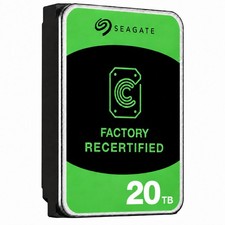
Seagate Exos ST20000NM003C 20TB CMR 7200RPM SATA6Gb/s 3.5" Enterprise Hard Drive
$509.99
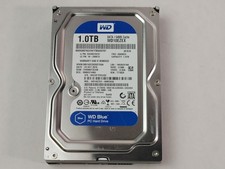
Western Digital WD Blue WD10EZEX 1 TB 3.5" SATA III Desktop Hard Drive
$23.99

Dell ST6000NM0034 1HT27Z-150 NWCCG 6TB SAS 3.5 7.2K ENTERPRISE SERVER DRIVE
$68.99

Seagate Exos ST2000NX0253 HDD 2TB SATA 7.2K 2.5" 512b/s
$55.00

DELL 2TB Enterprise HDD (7200RPM, 3.5", SATA III, 128MB Cache) HUS722T2TALA600
$49.95

Seagate ST12000NM0127 12TB 256MB 7200RPM 3.5" SATA 6.0Gb/s Enterprise Hard Drive
$318.99