

 Reply With Quote
What does memtest86 say after a running time more than six hours?In case of hardware issue ..


Opterion server board, was working happily, then I tried adding a PCI-e USB 3.0 card. Would not reboot after poweron, even if the card is removed.
Goes through bios, hits grub, gets to "Loading kernel", hangs (i.e., ctrl-alt-del does not reset, requries reset or poweroff).
Reset the bios to failsafe defaults, purged nvram, no help: "Loading kernel", newline, hung.
Pulled battery did hardware reset, went into bios, loaded failsafe defaults, ditto.
I've used a unetbootin image of gentoo stage3 to boot his machine before for initial installation.
Tried that, same result: Loading Kernel, newline, hangs.
In case of hardware issue I've stripped the disk controller and drives & riser cards leaving nothing but a bare motherboard + cpu's + memory.
Same result.
Tried Knoppix via unetbootin of KNOPPIX_V7.4.2DVD-2014-09-28-EN.iso.
This is where things get wierd.
Choosing "debug64" from the main menu gives me:
loading /boot/ ... /linux64 OK
loading /boot/ ... /mininit.gz OK
early console setup
early console decompress_kernel
Bootking the Kernel
<hangs>
Choosing "knoppix64" gives slightly different:
Loading ... linux64
Loading ... minirt.gz
early console decompress
decompressing linux Parse ELF done
Booting linux kernel
<hangs>
Choosing "Default" works with:
Loading /ubnkern
Booting linux kernel
<things happen and the system ends up in window manager>
Q: Does anyone know where the documentation for ubnkern, or the differences between choosing knoppix64 or debug64 and Default are described?
Q: Anyone else with an H8DMU+ that has applied any workarounds they can share?
thanks
What does memtest86 say after a running time more than six hours?In case of hardware issue ..
trying to run memtest86 from any of the distros leaves me back at the kernel-choice menu in ~1 sec.Originally Posted by Werner P. Schulz

With knoppix running I checked dmesg and there was nothing reported by the memory scrubber.
No, don't start Knoppix! Use the Knoppix Cheatcode "memtest".
In the initial boot phase you'll see the Knoppix emblem with the little penguin and the commandline at the bottom of the screen. Type only memtest after "boot: " in the commandline and press [Enter].
@ lambark
A few .cfg files in the /boot/isolinux folder of ISO image file may interest you a bit. After seeing another successful case of making a bootable usb device with unetbootin, I am curious about how unetbootin works and cannot find a full set of its user's manuals as well. From the brief summaries on its sourceforge website, I guess it is kind of a boot loader installation GUI which uses either Syslinux or GRUB (in general) as the backend. If so, installing the boot loader directly from terminal with appropriate arguments should be feasible in your case. By the way, you could also try out the very first KNOPPIX USB device in question on a less cutting-edge motherboard to see if the glitch is reproducible.
ATB,
This board is Socket-F: old enough to have been out of production for ~5 years. You can't even buy them from Supermicro at this point.
At some point I must have seemed annoyed enough to satisfy the poltergeists: After one last hard-reset (remove battery & short the
leads with a screwdriver) the existing unetbootin+gentoo install loaded the kernel as usual and I'm running again.
Same thumb drive.
Same reset to failsafe defaults.
Same re-configs of fan, etc, in the bios.
Poltergeists.
 Posting Permissions


Seagate ST6000NM0115 6TB 256MB 7200RPM 3.5" SATA 6.0Gb/s Enterprise Hard Drive
$159.99

Seagate Exos X14 10TB 7200RPM 3.5" SAS 12Gb/s Hard Drive HDD ST10000NM0528
$165.00

Seagate 14TB Exos X14 7200RPM SATA 6Gb/s 256MB 3.5" Enterprise HDD ST14000NM0408
$354.99

Seagate Exos X16 ST10000NM010G 10TB 7200RPM SAS 12Gb/s 3.5" 512e/4Kn HDD
$199.00

Seagate Enterprise Capacity 2TB 2.5in SATA Internal HDD ST2000NX0403
$60.00

HGST HUS724040ALA640 4TB 7200 RPM SATA 3.5" Internal Desktop Drive 100% Health
$78.00

ST6000NM0034 DELL 6TB 7.2K 12G SAS 512E 3.5" ENTERPRISE HARD DRIVE 8D1V4 08D1V4
$54.99

Dell ST91000640SS 1TB 2.5" 6Gb/s 64MB 7.2K RPM SAS Hard Drive Dell P/N: 0VXTPX
$16.99

New Western Digital WD40EFPX 68C6CN0 4TB 3.5" SATA III Internal NAS Red Plus HDD
$137.59
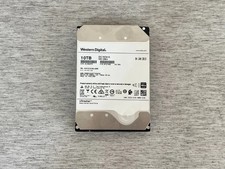
HGST HUH721010AL4200 10TB SAS 12Gb/s 4Kn 3.5 in Enterprise HDD | 0F27402
$199.99