

I would like to edit the file f2 in boot.img and perhaps add more help files.
The syslinux documentation says:
"DISPLAY and function-key help files are text files in either DOS or UNIX format (with or without <CR>). In addition, the following special codes are interpreted:
<FF> <FF> = <Ctrl-L> = ASCII 12
Clear the screen, home the cursor. Note that the screen is filled with the current display color.
<SI><bg><fg> <SI> = <Ctrl-O> = ASCII 15
Set the display colors to the specified background and
foreground colors, where <bg> and <fg> are hex digits,
corresponding to the standard PC display attributes:
0 = black 8 = dark grey
1 = dark blue 9 = bright blue
2 = dark green a = bright green
3 = dark cyan b = bright cyan
4 = dark red c = bright red
5 = dark purple d = bright purple
6 = brown e = yellow
7 = light grey f = white
Picking a bright color (8-f) for the background results in the corresponding dark color (0-7), with the foreground flashing."
My question is how do I insert these special codes such as ASCII12 or ASCII 15 into a text file?
 Posting Permissions


Yealink T48S VoIP/SIP Phone, 2 x Gigabit Ports PoE 7" Color SIP-T48S | TESTED
$34.95

Grandstream VoIP Phone Adapter ATA 1-Line Black Ethernet (RJ-45) Micro USB
$27.07

Yealink MP54 - VoIP Phone - Black Teams phone Android POE WIFI Bluetooth
$49.95

Poly CCX 400 Desktop Business Media Phone VoIP 2200-49700-019
$49.99

Yealink SIP-T33G IP Phone 4-LineSpeakerphone VoIP Desk Phone Black w/ Power Sply
$25.00

Grandstream HT701 1-Port FXS Analog Telephone Adapter ATA VoIP Gateway -Free S/H
$19.99

Lot of 4 Cisco CP-8841-3PW-NA-K9 8841 MPP Multiplatform VoIP IP Phone NEW
$450.00
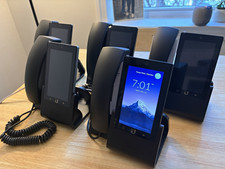
Ubiquiti UniFi Talk UVP-Touch VoIP IP Phone PoE Touchscreen Tested Reset
$64.99
Grandstream HT801 v2 Single Port Analog Telephone Adapter
$33.50

Grandstream WP810 Portable Cordless Wi-Fi IP Phone
$49.28


 Reply With Quote