

 Reply With Quote
further to above.i have tried burning the iso image at speeds as low as x4 and still get the same errors.


hi i fancied trying linux and knoppix looked like fun but am having problems at boot.
i have a packard bell imedia 5051 pc,1.8 celeron(gigabyte GA-8siml mobo), 512 ddr,40gig st340810a seagate hard drive,radeon 9000 128 np,philips cdd 5101 combi drive,realtec 8139 nic.
after booting from the knoppix cd the first error i get is"error only one processor found"
my memory is then detected as 515mb and the next few lines say cloop error at xxxxxxx(various numbers)
it then continues to load and after the green bar it detects my graphics card and nic.
the screen then goes black for a few seconds and the next screen i see says loading system services.this takes about 30 secs and then the screen goes black apart from my mouse pointer that is frozen sometimes,other times i can move it.
i have tried all the cheats and get the same result.
the testcd cheat returns the error that the download is either incomplete or my ram is bad.
i have tested my ram with memtest and its ok.and downloaded knoppix from another location.still get the same error.
the download was only 645mb,i thought it was supposed to be 700?have found another link thats 699mb so am downloading that to try.
any suggestions would be great as am new to all this.sorry for the long post and thanks.
further to above.i have tried burning the iso image at speeds as low as x4 and still get the same errors.
i have now downloaded knoppix again and used the slowes speed to burn the disk.
it boots ok this time no errors,detects all my hardware and continues as far as the desktop.
now my mouse does not work,it is stuck in the middle of the screen.
my mouse is a logitec usb wheelmouse.
any ideas please?
I am new to this game, (can't even get mine to boot), but if you go to
http://download.linuxtag.org/knoppix/KNOPPIX-FAQ-EN.txt there is a piece on getting your wheelmouse to work, I hope! LeRoy
I get problems with my usb mouse as well so I just use a regular PS/2 mouse. That on V3.2
Tim
thank you for the replies.i have managed to get it to work using the failsafe cheat but i cannot connect to the internet.
not sure how to set up and save the devices either.will keep trying.
--My logitech usb wheelmouse works fine in Knoppix. Failsafe may be why it's not being detected, but that's just a guess.
--Are you using ' kppp ' for Internet?
Originally Posted by huggyg71
the only way i can get the mouse to work is either use failsafe or nousb cheats(it is a usb mouse though)
either way it all works ok but the internet doesnt work.
kppp?? HMmmm i will have to get back to ya on that.i have a lot to learn still.
i have tried konqueror and mozilla.mozilla says i am connected but when clicking on a link or typing in an address it says address cannot be found.my nic is detected at start up though.
i connect to the internet via cable modem via ethernet and my isp is NTL (uk)
WHOOoooHOOooo!!! i have finaly managed to get it all up and running.
im now posting this from mozilla using knoppix.
i used the console window command netcardconfig - dchp and then clicked no to dchp and set it up manually.
this didnt work ie/ i could still not connect but i didnt get any errors so i saved knoppix settings to floppy and rebooted using myconfig /mnt/auto/floppy
and here i am.
experienced users probally already know this but if any noob out there is having the same problem i though if i posted this it may help them.
thanks to all who have helped me so far.no doubt i will be back with more silly questions.
ps.does anybody know how to get the scroll wheel working on a mouse?
It should be working automatically but use the cheat code wheelmouse when you boot and see if that works.
 Posting Permissions


IBM System X3850-X5 Server w/4x Intel Xeon E7-4870 CPU , 512 GB DDR3 RAM,NO HDD
$1299.99

IBM QRadar xx29 2x Xeon E5-2650v4 2x 900W PSU M5120 12x 3.5" Bay Server No RAM
$179.99

Unused IBM 09P0037 MAINBOARD For RS/6000 7044-170 P-Series
$375.00

IBM ADP Server Type 7870 AC1 NO HDD | 128GB RAM PC3L | 2 x Xeon E5620
$199.99

IBM Power 8 S822L Server 8247-22L POWER8 Enterprise 256GB RAM 2x 00KV626 CPU
$999.99

Compaq ProLiant 1500R 5/100 rack server, Series 3155, with IBM 2.1GB HD, VINTAGE
$295.00

IBM System x3550 M3 1U Server 2x Xeon E5645, 192GB RAM, 2x 300GB HDD (7944-AC1)
$150.00

IBM SYSTEM X3500 M3 SERVER 7380AC1 TOWER Server XEON E5620 8GB RAID SEE NOTES
$110.30

IBM System X3650 M3 Server Xeon E5620 2.4 GHz 16 GB Ram Raid M5015 No OS No HDD
$87.96
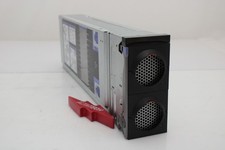
IBM 00FN709 X3850 X6 Compute Book 3837 Barebone
$114.99
