

 Reply With Quote
You can either select "kde" from the menu "Knoppix → Knoppix-Desktop..." or you use the Cheatcode of → ### Desktop ###.


Hello everyone,
i am new to Linux but i want to use Knoppix. I download Knoppix V7.4.2 DVD and i don't like XFCE desktop. For that i want to use KDE desktop. How can i do that? Thank you.
You can either select "kde" from the menu "Knoppix → Knoppix-Desktop..." or you use the Cheatcode of → ### Desktop ###.
How can i do that?Originally Posted by Werner P. Schulz

Did you read the link?
Hey there NovFri:
My first computer experience was on an 8088 (and almost a daily user, since then)... And I still have trouble remembering to look for the color change / cursor change that tells me there is a clickable LINK for me to go read at another URL location ! ( it's always something!)
 Posting Permissions


Dell 6P85J 4TB ST4000NM0063 7.2k 6Gb/s 3.5” SAS SED Hard Drive with Tray
$39.99

Western Digital HUS726T4TAL5204 4TB 7.2K SAS 12Gb/s 3.5" 512e HDD NetApp X375A
$64.00

Western Digital 1TB 3.5" SATA III 7200RPM Desktop Hard Drive
$34.99

DELL 2TB Enterprise HDD (7200RPM, 3.5", SATA III, 128MB Cache) HUS722T2TALA600
$49.95

Seagate Exos ST20000NM003C 20TB CMR 7200RPM SATA6Gb/s 3.5" Enterprise Hard Drive
$509.99
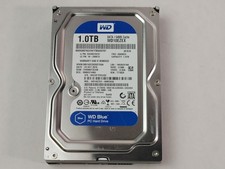
Western Digital WD Blue WD10EZEX 1 TB 3.5" SATA III Desktop Hard Drive
$23.99

Dell ST6000NM0034 1HT27Z-150 NWCCG 6TB SAS 3.5 7.2K ENTERPRISE SERVER DRIVE
$68.99

Seagate Exos ST2000NX0253 HDD 2TB SATA 7.2K 2.5" 512b/s
$55.00

(ST8000NM0045) SEAGATE ENTERPRISE 8TB 7200RPM 4Kn SATA 6Gb/s 3.5" HARD DRIVE
$199.99

Seagate ST12000NM0127 12TB 256MB 7200RPM 3.5" SATA 6.0Gb/s Enterprise Hard Drive
$318.99