

 Reply With Quote
You can either select "kde" from the menu "Knoppix → Knoppix-Desktop..." or you use the Cheatcode of → ### Desktop ###.


Hello everyone,
i am new to Linux but i want to use Knoppix. I download Knoppix V7.4.2 DVD and i don't like XFCE desktop. For that i want to use KDE desktop. How can i do that? Thank you.
You can either select "kde" from the menu "Knoppix → Knoppix-Desktop..." or you use the Cheatcode of → ### Desktop ###.
How can i do that?Originally Posted by Werner P. Schulz

Did you read the link?
Hey there NovFri:
My first computer experience was on an 8088 (and almost a daily user, since then)... And I still have trouble remembering to look for the color change / cursor change that tells me there is a clickable LINK for me to go read at another URL location ! ( it's always something!)
 Posting Permissions


Lenovo ThinkPad E14 Gen 2 Laptop 14” HD Ryzen 5 16GB RAM 512GB SSD Win 11 Pro
$334.99

Lenovo Thinkpad E15 Gen 2 8GB RAM 256GB SSD Intel Core [email protected] Laptop
$220.36

Lenovo ThinkPad L15 Gen 3 15.6" 16GB, Thunder Black
$241.50

Lenovo ThinkPad E14 Gen 3 Laptop 14” FHD AMD Ryzen 5 16GB RAM 512GB SSD Win 11
$374.99

Lenovo Legion 5 Gaming 15.1" WQXGA OLED 165Hz Core i9-14900HX 16GB 1TB RTX 5070
$1469.00

Lenovo ThinkPad T14 Gen 1 14" AMD Ryzen 5 16GB 256GB SSD
$219.99

Lenovo ThinkPad T14 G2 14-Inch AMD Ryzen R5 5650U 16GB, 512GB SSD Win 11 Pro
$398.99
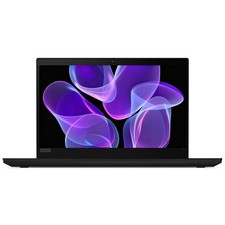
Lenovo Thinkpad T14 Gen 2 14" 16GB, Thunder Black
$387.46
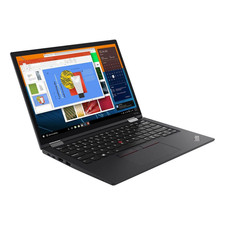
Lenovo ThinkPad X13 Gen 3 13.3” FHD Laptop Intel i5 16GB RAM 256GB SSD Win 11
$299.85

Lenovo ThinkPad L15 Gen 3 15.6" 16GB, Thunder Black
$241.50