-
Run Schulz Remaster script.
Sorry I'm having problems guys. I'm not working from a virtual machine either. In my understanding I'm to begin installing knoppix 7.4.2 in HD mode to the 32G flashdrive, but only install the boot loader and the mbr before rebooting. Then install the Schulz Remaster script. Then continue with the hd install: insert the knoppix 7.4.2 dvd, and click '/usr/sbin/kn-remaster.sh to open the script for the GUI window.
But the script won't open, neither in terminal or execute mode. And I don't understand how to control the install for only the bootloader and the mbr before rebooting, so I must have seriously confused the instructions. I'm sure grateful for your help. I did a remaser without the script, but it only copied the default iso, and the changes that I wanted were simply added in an overlay file. It worked the way I wanted it to ok, but woun't recopy correctly. (It reverts to the default 7.4.2 iso when dd copied).Remastering is a great concept though Werner, it's crucial to have backup flashdrive Operating Systems built specially for the purpose whenever it's needed. God bless Knoppix guys. Thanks.
david
-
Hello David!
In my understanding I'm to begin installing knoppix 7.4.2 in HD mode to the 32G flashdrive, but only install the boot loader and the mbr before rebooting.
You need a full HD install of Knoppix to your flashdrive and the install of GRUB bootloader to MBR.
After reboot and start of the BIOS routine take care to select the flashdrive, not your internal HD. Now you can go on with
→ After restart install my script-package with "dpkg -i".
Greetings Werner
-
I'm unable to install grub to the mbr Werner.
I installed knoppix 7.4.2 to a 32g flashdrive in HD mode according to instructions.
But when I enter: #grub-install /dev/sda. (I get) "grub-probe error: cannot find a device for / (is /dev mounted)".
#mount /dev/sda /mnt (says it's already mounted or /mnt busy).
And it says exactly the same for #grub-install /dev/sda1 (and for) #mount /dev/sda1 /mnt).
So it can't find the mbr.
#blkid (calls) /dev/zram0 (and calls) /dev/cloop0. So I guess that means the mbr is a cloop file Werner, and has to be edited while decompressed? Or does the Schulz Remaster script provide that function by doing it a differnt way?
Sorry I'm unable to see the answer here Werner.
-
If you use
http://knoppix.net/wiki/Category:Har...ion#HD_install
step by step, you'll be asked before the end of the HD installation where to install GRUB. You have only to do the right decision! You don't need to install GRUB manually.
When you reboot your new HD install (done by the Knoppix script) you can start whith remaster using my script.
 Posting Permissions
- You may not post new threads
- You may not post replies
- You may not post attachments
- You may not edit your posts
-
Forum Rules


1x64GB Hynix HMAA8GL7MMR4N DDR4 PC4 2133P-LE0-11 4Rx4 ECC LRDIMM Server RAM
$320.00

24x Micron MT40A512M16LY-062E IT:E 8Gb DDR4-3200 96-FBGA Memory IC
$349.99

24x Micron MT40A512M16LY-062E IT:E 8Gb DDR4-3200 96-FBGA Memory IC
$349.99
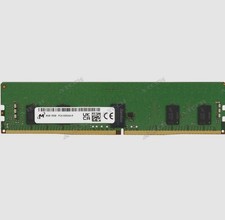
Micron 8GB DDR4 3200MHz PC4-3200AA ECC RDIMM RAM (MTA9ASF1G72PZ-3G2E2
$30.00
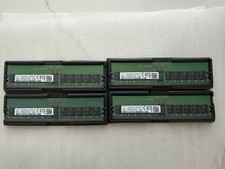
Samsung 32GB DDR5-4800 ECC RDIMM 2Rx8 PC5-38400 Server RAM M321R4GA3BB6-CQK
$1099.99

Kingston 32GB 64GB 128GB 256GB USB 3.0 Flash Drive Thumb Memory Stick Pen lot
$285.90

USB 3.0 Flash Drive 32GB 64GB 128GB Memory Stick Thumb Stick Lot Pack
$826.09

A-Tech 8GB DDR3 1600 PC3-12800 Laptop SODIMM 204-Pin Memory RAM PC3L DDR3L 1x 8G
$21.68

Dell 16GB PC4-21300 (DDR4-2666) Memory (SNPPWR5TC16G)
$89.99

x4 Intel 128GB NMB1XXD128GPS Optane Memory 200 Series PMEM Module 3200 DDR4 RAM
$329.99



 Reply With Quote