

 Reply With Quote
If Windows offers the print service, you have to configure it within Windows.
Knoppix is the client. You can look for printers within your LAN using Menu → Preferences → Print Settings and there → Network Printer → Find Network Printer


I have come back to Knoppix after some time. I like 7.6.0, but I can't connect to my wired network printer. The server is Windows 10. I know that I need to give the server a username and password. I know what these are, but I don't know where to make them visible. Other distros provide a GUI interface for that; please help.
If Windows offers the print service, you have to configure it within Windows.
Knoppix is the client. You can look for printers within your LAN using Menu → Preferences → Print Settings and there → Network Printer → Find Network Printer
Thanks for the quick reply. Windows is set up to share the printer, and it's easily found by my Linux (Knoppix) computer. My problem is that I don't know how to supply the ID and password to authorize the printing. Somewhere, I suspect, is a configuration file into which the password can be inserted.
Hi!
I would try Menu -> Preferences -> Print Settings and then click on the button 'Add' to add a new printer. In the dialog window I would select 'Windows Printer via SAMBA' and enter the 'SMB Printer'. There is also an option to provide the authentication details.
I hope that helps.
Thanks klaus2008. That was easy. I guess I tried to configure directly from CUPS and didn't have an opportunity to supply the ID and password.Originally Posted by klaus2008

 Posting Permissions

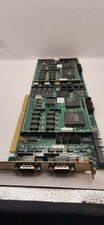
Vintage Cubix A2870 + 2x A2310 QL 2286 Video Module ISA Boards 1989 Untested
$207.92

Vintage HP 21MX 1000 M-Series Minicomputer Chassis Backplane Parts AS-IS
$325.99

Vintage Computer Keyboard Northgate OMNIKEY Ultra
$120.00

Lot of 2 Vintage Plextor PX-43CS SCSI CD-ROM Caddy Drives + 4 Caddies Used
$55.99

Original Vintage Old Style STANDARD Black CD Jewel Case (Heavy Duty) 90g Lot
$316.95
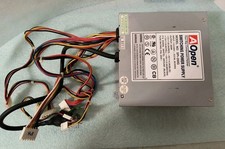
VINTAGE AOPEN MODEL SPI-200 200W AT POWER SUPPLY WITH SWITCH DS-PS-8
$34.95

VINTAGE ESS ES1868 16 BIT ISA SOUND CARD COMPAQ 247428-001 - USA SELLER RM2-SC
$24.95
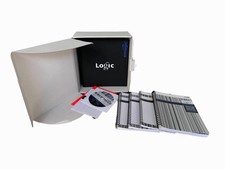
Vintage Emagic Logic 5 / Logic Audio 4.0 Studio Software Box Manuals Serial
$89.99

Vintage Apple iMac G4 15" Lamp 700MHz 512MB Mac OS X 10.4.6 W/ Pro Speakers
$300.00

Vintage Promise EIDEMAX Enhanced IDE Disk Controller ISA Non-RAID Card Boxed
$34.99