

 Reply With Quote
You do not say what type and brand of USB key you are using. US keys are not all born equal.
What about getting a new one?


Running 7.4.2 on a USB boot device.
The whole thing works perfectly time after time after time ...
... until it doesn't, and the message "Boot error" comes up.
In the past I've tried chkdsk /f or dd-ing a library copy of sector 1 or even defrag (crazy, it takes forever) but now I just sigh and reformat.
I know USB devices have "lifetimes" but these are intermittent recoverable failures, not deaths.
The device is used 2,3,4,... times a day. The failures occur maybe 4 times a year. I am not aware of any consistent lead-up to failure.
Anybody else getting the same sort of behaviour?
Fergus
You do not say what type and brand of USB key you are using. US keys are not all born equal.
What about getting a new one?
>> What about getting a new one?
Good question - sorry, I should have said. The device is a super-expensive 200G Sandisk micro-SD in my phone, partitioned as 8G FAT32 + 192G exFAT.
I jut plug the phone in via USB cable and away I go.
(So I only have one device, containing EVERYTHING for my cyber-life, and can rove workstations. Everything I need at home/ work including archived material lives on 192G, admittedly just approaching capacity. I'm not interested in music or video which is why this can be achieved, and it's also why I don't want to lose the amazing convenience of this architecture. I'll upgrade the chip if Sandisk offer greater capacity, but just a straight 200G replacement would feel very expensive and not really necessary at this time.)
Thanks for comment. Still don't understand the reason for the error. That partition has almost no usage at all - and only read, not write.
Fergus
So you are not talking about a common USB flash drive but rather about a micro-SD card.
I know nothing about the reliability of such cards. I hope someone ellse can help you with an answer to your question.
More of the same today. Yet another "Boot error" on startup. I will write this while I reformat the card as a KNOPPIX bootable drive.
If I cannot actually understand and defeat this phenomenon, I would at least like to keep track of time-between-failures and number-of-successes-between-failures.
Is there a line that I could introduce into syslinux.cfg that would be enacted exactly once at a successful boot and that would augment an increasing "record" of successful boots?
I guess I mean something like
date >> /mnt-system/boot/record.txt
that would build a growing historical file one line at a time.
But I do not know the syntax that would achieve this. Can anybody help?
Thank you, in growing frustration.
Fergus
 Posting Permissions


GIGABYTE A520M DS3H AC AMD AM4 Motherboard mATX
$59.99
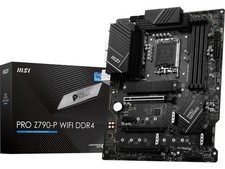
MSI PRO Z790-P WIFI DDR4 LGA 1700 Intel Z790 SATA 6Gb/s DDR4 ATX Motherboard
$163.49

Intel H310 LGA1151 8-9th Gen DDR4 M.2 NVMe mATX Motherboard IO Shield Battery
$54.99
MSI MPG Z590 Gaming Force Gaming Motherboard
$180.00

GIGABYTE B365 HD3 LGA1151 Intel 9th Gen motherboard
$59.99

Intel H81 Motherboard M.2 NVMe LGA 1150 mATX w/ IO Shield (Random Slot Color)
$29.90

ASRock B550M PRO4 AM4 AMD B550 SATA 6Gb/s Micro ATX AMD Motherboard
$76.49

ASUS PRIME Z370-A II LGA 1151 Intel Z370 DDR4 DIMM USB3.1 DVI ATX RGB
$69.99

ASUS PRIME Z490-P LGA 1200 Intel Z490 SATA 6Gb/s ATX Intel Motherboard NEW
$121.45

ASUS B85M-G/B85M-G PLUS LGA1150 DDR3 Micro ATX Motherboard HDMI for Inter 4thCPU
$45.00