-
Senior Member
registered user
Run cups-config with the latest Firefox rather than native Iceweasel
Good morning, Mr. Schultz! Hello, friends!
I apologise for my long absence from the forum.
I want to run cupsconfig (for the newer members, start->knoppix->Printer Configuration ) with the latest standalone firefox rather than the older version of iceweasel. I read the script of cupsconfig
The link for "printer configuration" icon points to user/bin/cupsconfig.
I read the file cupsconfig. Links to either x-www-browser or www-browser. The two linked files are links themselves. They lead further to /etc/alternatives/x-www-browser or www-browser.
I have changed the start->preferences-> preferred applications with the browser as Firefox as a user. Didn't help.
While the x-www-browser opens a terminal-based application, the other one tries to open the sytem's default browser Iceweasel. Since firefox is already running iceweasel can't run.
Now, I could change the exec script in cupsconfig.
I would rather want to implement the code for system-wide configuration. I could do sudo libfm-pref-apps. Actually, I have done it with success.
But what is the best way to do it?
Regards
Last edited by rajibando; 03-09-2016 at 06:55 AM.
-
You may use "update-alternatives" for system wide setting
Code:
su
update-alternatives --config x-www-browser
-
Senior Member
registered user
Thank you, Mr. Schulz. I will try and inform you.
I apologise for the typo while addressing a highly admired senior. 
...
Yes, I did. I read the output:
There are 3 choices for the alternative x-www-browser (providing /usr/bin/x-www-browser).
Selection Path Priority Status
------------------------------------------------------------
0 /usr/bin/konqueror 100 auto mode
1 /usr/bin/chromium 40 manual mode
* 2 /usr/bin/iceweasel 70 manual mode
3 /usr/bin/konqueror 100 manual mode
Press enter to keep the current choice[*], or type selection number:
So I see there are four choices, but not Firefox Standalone.
My next query will automatically be:
Can I edit a link file?
I tried vi /etc/alternatives/x-www-browser
Appears to be a binary file. So do I delete the file and create a new x-www-browser link for Firefox?
P.S.: nice tip! I will remember. Thanks!
-
"/etc/alternatives/x-www-browser" is only a simple symlink managed by the tool 'update-alternatives'; you can delete it and create a new one manually
Code:
su
ln -s /xyz/firefox /etc/alternatives/x-www-browser
Use your own value instead of '/xyz/'. But next update may possibly overwrite this.
-
Senior Member
registered user
Thank you, Sir!

Originally Posted by
Werner P. Schulz

...
Code:
su
ln -s /xyz/firefox /etc/alternatives/x-www-browser
...
Thanks and regards,
Rajib
 Posting Permissions
- You may not post new threads
- You may not post replies
- You may not post attachments
- You may not edit your posts
-
Forum Rules

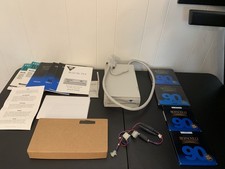
Vintage Iomega Bernoulli 90 PRO 90MB SCSI Removable Disk Drive + Extras
$124.99

🔥 RARE VINTAGE HP 2112A 21MX M-SERIES 16-BIT MINICOMPUTER HP
$299.99

🔥 RARE VINTAGE HP 2113A 21MX 1000 E-SERIES MINICOMPUTER CHASSIS BACKPLANE
$249.00

Vintage Jetway J-620BF Socket 370 Celeron AT Motherboard SiS 620 Brand New
$75.00
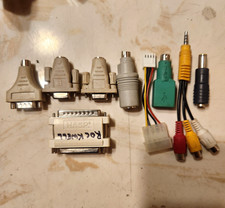
Collection Or Lot Of Vintage Cables & Adapters Rockwell Hasp Security Dongle
$50.00
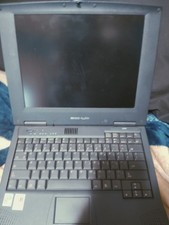
Vintage Laptop HP Hewlett Packard Pavilion N3110 Celeron 433 MHz *Please Read*
$50.99

Original Vintage Old Style STANDARD Black CD Jewel Case (Heavy Duty) 90g Lot
$316.95
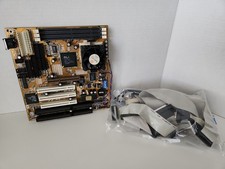
Vintage RARE Gigabyte GA-5AA Socket 7 Motherboard AMD K6-2 400mhz BOOTS TO BIOS
$224.99

Vintage Microsoft Visual Studio.NET Professional Software suite Version 2002 New
$82.00

Lot of 2 Vintage Plextor PX-43CS SCSI CD-ROM Caddy Drives + 4 Caddies Used
$55.99



 Reply With Quote