-
Trying to use - RecordMyDesktop
Trying to use - RecordMyDesktop
I’m new to Linux but liking it a lot.
I’m trying to do a screen recording.
I choose Sound & Video > RecordMyDesktop and a small box appears instructing me to left drag the area I wish to record on the screen.
I then see a blue area appear but once I release the mouse it disappears.
I’m not sure then how to determine where on the screen it will be recording.
Also, I pressed the red Record button and it displays that the recording is complete.
I’m not sure how to control the start/stop of the recording and if I can do that with keystrokes? Crtl/S to start? Crtl/E to stop?
Thank you so much!
 Posting Permissions
- You may not post new threads
- You may not post replies
- You may not post attachments
- You may not edit your posts
-
Forum Rules


Dell 6P85J 4TB ST4000NM0063 7.2k 6Gb/s 3.5� SAS SED Hard Drive with Tray
$39.99

Western Digital HUS726T4TAL5204 4TB 7.2K SAS 12Gb/s 3.5" 512e HDD NetApp X375A
$64.00
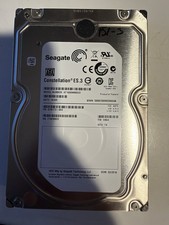
Seagate Constellation ES.3 3.5 in Enterprise HDD | ST2000NM0033
$40.00

DELL 2TB Enterprise HDD (7200RPM, 3.5", SATA III, 128MB Cache) HUS722T2TALA600
$49.95

Seagate ST4000NM0034 Enterprise 4TB 7200RPM SAS 12Gb/s HDD v4
$39.00

Seagate ST500DM009 BarraCuda 500 GB 3.5" SATA III Desktop Hard Drive
$14.99

HGST HUS726060ALE610 0F23001 6TB HDD 3.5" SATA 6Gb/s 7.2K Hard Drive (V6315)
$69.95

Dell ST6000NM0034 1HT27Z-150 NWCCG 6TB SAS 3.5 7.2K ENTERPRISE SERVER DRIVE
$68.99

(ST8000NM0045) SEAGATE ENTERPRISE 8TB 7200RPM 4Kn SATA 6Gb/s 3.5" HARD DRIVE
$199.99

Seagate ST8000NM0075 Enterprise Capacity 3.5 HDD 8TB SAS Hard Drive 8TB EXOS
$184.99



 Reply With Quote