-
HDD install hangs at 1-2 percent of file copying
I have read dozens of posts which have definately helped me get further along. My situation is this:
I have an AcerNote Light Laptop with no CDROM drive. I have copied the Knoppix Dir to a FAT32 Partition, booted from FDD and started knx-hdinstall. The install starts, I select the partitions for Swap, etc.
The file copy process starts, then stops after about 2 mins only at 2 percent each time.
The laptop only has 16MB RAM. That's the only thing I can think of. I am going to up it to 40MB (unfortunately max amount).
Any help would be greatly appreciated.
-PuTzHeAd-
-
Senior Member
registered user
Re: HDD install hangs at 1-2 percent of file copying
--Make sure you have an active swap partition ' swapon -s '; if not, ' mkswap /dev/hdZ99 ' (replace z99 with whatever drive+partition has the type 82) and then ' swapon /dev/hdZ99 '
--When installing and it stops:
o Boot into non-GUI mode ' knoppix 2 '
o On another virtual console such as alt-F2, start ' nice top -d 10 ' to monitor the install process.
o Switch back to alt-F1 and start knx-hdinstall. If/when it stops, switch back to alt-F2 and see if the screen is still updating every 10 seconds. If it is... Hit Alt-Sysrq-S to "emergency Sync" the pending I/O to all HDs. Hopefully the install will resume copying (this worked on my laptop with Reiserfs.) You may have to do this multiple times, so keep an eye on the install.
--Post back, especially if this works.

Originally Posted by
PuTzHeAd
I have read dozens of posts which have definately helped me get further along. My situation is this:
I have an AcerNote Light Laptop with no CDROM drive. I have copied the Knoppix Dir to a FAT32 Partition, booted from FDD and started knx-hdinstall. The install starts, I select the partitions for Swap, etc.
The file copy process starts, then stops after about 2 mins only at 2 percent each time.
The laptop only has 16MB RAM. That's the only thing I can think of. I am going to up it to 40MB (unfortunately max amount).
Any help would be greatly appreciated.
-PuTzHeAd-
-
I have done exactly as suggested to no avail. The Alt-Sysrq-S did not help - it seemed the HDD light flashed for a second then that was it. I tried again and again - no luck.
The system doesn't freeze thought it just stops copying files.
Bizarre...
-
Senior Member
registered user
--Post results of ' sudo hdparm /dev/hda '.
Originally Posted by
PuTzHeAd
I have done exactly as suggested to no avail. The Alt-Sysrq-S did not help - it seemed the HDD light flashed for a second then that was it. I tried again and again - no luck.
The system doesn't freeze thought it just stops copying files.
Bizarre...
-
sudo hdparm /dev/hda
/dev/hda:
multcount =16 (on)
I/O support = 0 (default 16-bit)
unmaskirq = 0 (off)
using_dma = 0(off)
keepsettings = 0 (off)
nowerr = 0 (off)
readonly = 0 (off)
readahead = 8 (on)
geometry = 789/255/63, sectors = 12685680, start = 0
busstate = 1 (on)
-
Senior Member
registered user
I see where Dave is going here before you start the install sudo hdparm -d1 /dev/hda to turn on DMA access for your drive or boot with the cheat code dma and check to make sure it is on before you start to install. If you use the sudo method you may want a -c1 or -c3 option also to turn on 32 bit support without (c1) and with sync (c3).
This will speed up the copying process the drive I have in my computer here for example - without dma will transfer about 4mb/sec with dma about 35mb/sec (64mb test).
To test the speed of the drive sudo hdparm -Tt /dev/hda do it before and after you set the dma to see the difference to find out information about the drive sudo hdparm -i /dev/hda.
-
If the hdparm trick doesn't help it may not be a bad idea to check for disk errors.
-
It gets further (3 percent) now, but still stops copying files??
I tried the sudo hdparm -Tt /dev/hda at bootup:
20.58MB/sec
after running sudo hdparm -d1 -c1 -c3 /dev/hda:
24.11MB/sec
how would I check for errors?
-
Senior Member
registered user
--What kind of filesystem are you installing to (ext2, reiserfs?)
Originally Posted by
PuTzHeAd
It gets further (3 percent) now, but still stops copying files??
I tried the sudo hdparm -Tt /dev/hda at bootup:
20.58MB/sec
after running sudo hdparm -d1 -c1 -c3 /dev/hda:
24.11MB/sec
how would I check for errors?
-
Checking for errors
Depends on the type of partition (thanks Dave) but in general you can use the fsck command (man fsck). Also check the CD for errors to make sure there isn't a bad spot on your install media. You can do this by doingwhen you boot with the CD.
Similar Threads
-
By stevesr0 in forum General Support
Replies: 6
Last Post: 02-20-2005, 05:59 PM
-
By winglion in forum Hdd Install / Debian / Apt
Replies: 6
Last Post: 11-07-2004, 08:54 AM
-
By jch02140 in forum General Support
Replies: 4
Last Post: 06-18-2004, 03:14 PM
-
By TMcGrath in forum Tips and Tricks
Replies: 0
Last Post: 02-21-2004, 10:41 AM
-
By igor_m in forum General Support
Replies: 4
Last Post: 12-26-2003, 05:48 PM
 Posting Permissions
- You may not post new threads
- You may not post replies
- You may not post attachments
- You may not edit your posts
-
Forum Rules


Intel Core i7-9700 Octa-Core 3 GHz Desktop Processor LGA 1151
$79.99

RYZEN 7 9800X3D 8-Core, 16-Thread Desktop Processor
$475.00

INTEL CORE I7-870 SLBJG 2.93GHZ LGA1156 4 CORE CPU PROCESSOR
$23.00

Lot of (7) Intel Core CPU Processors
$219.00

AMD Ryzen 5 5600X Desktop Processor (3.7GHz, 6 Cores, AM4 CPU) 100-100000065
$135.00

Intel Core i9-9900 3.10GHz CPU Processor SRG18
$165.00

Intel Core i7-7700 3.6GHz Quad-Core Desktop CPU Processor SR338 LGA1151
$40.00

Intel Core i5-7500 SR335 3.4GHz 4-Core LGA 1151 CPU PROCESSOR
$14.99

INTEL CORE I9-10940X X-SERIES PROCESSOR | 3.30GHZ | SRGSH
$179.99
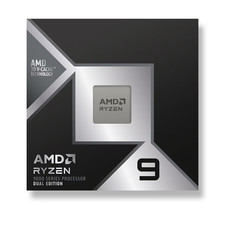
*Brand New-Sealed* AMD Ryzen 9 9950X3D2 Dual Ed. 4.3GHz 16Core AM5 (Bulk+Fast)
$790.00



 Reply With Quote