-
 Easy Knoppix Customiser
Hi,
It would be nice if there was a utility in Knoppix that when opened display all the installed applications in Knoppix including the big apps (Gnome. KDE etc) and all the other installed programs.
The user then selects the ones he needs to keep by means of, for example, a checkbox.
When finished, the user just presses the traditional OK button and the utility displays the package names that need to be removed in order to only keep the selected packages.
I think this will facilitate remastering a lot. And it could be then combined with Werner P. Schulz's recombine script (http://www.wp-schulz.de/scripte/recombine-script.html) to create a new KNOPPIX file.
Any opinions/thoughts are welcome...
 Posting Permissions
- You may not post new threads
- You may not post replies
- You may not post attachments
- You may not edit your posts
-
Forum Rules


Lenovo ThinkPad L13 Yoga Touch Laptop 13.3” Core i5 8GB RAM 256GB SSD Win 11 Pro
$239.99

Lenovo ThinkPad L15 Gen 3 15.6" 16GB, Thunder Black
$241.50

Lenovo ThinkPad T495 14” Laptop AMD Ryzen 5 PRO 16GB RAM 256GB SSD Windows 11
$229.99

Lenovo ThinkPad E14 Gen 2 Laptop 14” HD Ryzen 5 16GB RAM 512GB SSD Win 11 Pro
$319.99

Lenovo ThinkPad T14 Gen 1 14" AMD Ryzen 5 16GB 256GB SSD
$219.99

Lenovo ThinkPad E14 Gen 3 Laptop 14” FHD AMD Ryzen 5 16GB RAM 512GB SSD Win 11
$374.99

Lenovo Thinkpad T14 Gen 2i 14" 16GB 512GB, Black
$313.00
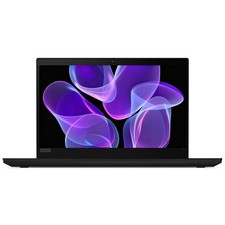
Lenovo Thinkpad T14 Gen 2 14" 16GB, Thunder Black
$387.46

Lenovo ThinkPad L15 Gen 3 15.6" 16GB, Thunder Black
$241.50

Windows 11 PRO Laptop Notebook PC Computer, 8GB Ram, Webcam, Wifi, and HDMI
$144.00



 Reply With Quote