

 Reply With Quote
try typing "su" in konsole
You would also probably have to change your HD read/write status by right-clicking on it and choosing that option


I'm trying to edit a few system files but don't have permission to overwrite them - can someone tell me how to log in with full access (read/write) to the system files?
try typing "su" in konsole
You would also probably have to change your HD read/write status by right-clicking on it and choosing that option
From the Start->Knoppix menu, click on Root Console.
It's all in the documentation for your reading pleasure.
Alternatively, the user "knoppix" has sudo permission.
In other words, preface your editing command with "sudo"
I.E. sudo vi {filename}
That should also work.
Joe
 Posting Permissions


Intel Core i5-12500T SRL5W 2GHz 18MB 6 Core Socket LGA1700 Desktop CPU Processor
$114.99

INTEL CORE I9-10940X X-SERIES PROCESSOR | 3.30GHZ | SRGSH
$179.99
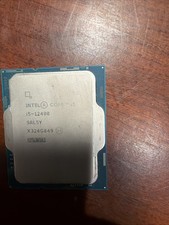
Intel Core i5-12400 CPU 2.50GHz 6-Core 12-thread SRL5Y LGA 1700
$121.99

Intel Core i7-4770 3.40GHz Quad Core SR149 LGA 1150 CPU Processor tested
$35.00

Intel Core i7-9700 Octa-Core 3 GHz Desktop Processor LGA 1151
$79.99

Intel Core i7-3770K 3.5 GHz Processor
$39.00

Intel Core I7-7700 SR338 3.60 Ghz Processor
$39.99

Intel Core i7-7700K SR33A 4.20GHz 4-Core LGA1151 CPU Processor
$62.95

AMD - Ryzen 7 5800X3D 8-Core - 16-Thread 3.4 GHz (4.5 GHz Max Boost) w/ Ice Pad
$355.99

Intel 6th Gen Core i7-6700K 4.0GHz (Turbo 4.2GHz) 4-Core LGA1151 CPU SR2L0
$38.00