

 Reply With Quote
Did you try this command in a terminal:
Code:sudo leafpad /etc/X11/Xsession.d/15x11-synaptics


This problem has been addressed on this forum before but I can't make the answer work. Touchpad tapping is not enabled by default, but 'synclient TapButton1=1' from a console at run level 5 enables it. It does not work from run level 2 because that is not a graphical environment. In order to make the change permanent the advice is to go to /etc/X11/Xsession.d and add a file say '15x11-synaptics' with this content : synclient "TapButton1=1". The problem is that the file system is mounted read-only and chmod doesn't work. You can't find the file on the unmounted flash drive. How can you get this line in Xsession.d?
Did you try this command in a terminal:
Code:sudo leafpad /etc/X11/Xsession.d/15x11-synaptics
Greetings was698002 and welcome to the forum.
All but one of the files in /etc/X11/Xsession.d are owned by root and read-only.
However, one file, 45knoppix, is owned by root and also executable.
I add a synclient command to this file, at its end, to tweak my touchpad.
This is slightly simpler than adding a new file just for this one tweak.
Quote marks are not necessary for the command.
Of course, you'll need to have persistence working for this to make a permanent
change to your system.
Works fine on 7.7.2 despite the file description as an anachronistic holdover. Never would have found it without you. thanks.
Originally Posted by utu

Was not aware of 7.7.2, but glad it works for you.
The old forum record harks back to when I thought /etc/rc.local should work, and it didn't.
The lack of touchpad support is the one single frustrating thing about Knoppix.
What is persistence mode and how does one achieve it?
Can you upload the specific changes that need to be made to Knoppix (text/file/folder) to make touchpad work reliably
Other Linux distros have an app in settings that allows touchpad to be toggled. Why is Knoppix different?
in 7.7.1 the program you are asking about in in a package called gpointing-device-settings. If you install that you will have control of it via GUI. The persistence stuff is covered in http://knoppix.net/forum/threads/319...th-persistence
 Posting Permissions


OPNsense pfSense 8-Core Atom C3758 2.2GHz 8GB DDR4 64GB SSD 8x NIC QAT AES VPN
$125.00

Ubuntu Server 26.04.1 LTS Bootable USB Flash Drive – Latest September 2026
$13.99
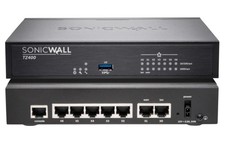
Dell SonicWall TZ400 Network Security Appliance Firewall New
$185.00

Start9 Server Pure 32GB 4TB Intel i7 Node StartOS — Box + PSU
$649.00

Microsoft SQL Server 2025 Standard 32 Core Unlimited CAL Retail License Package
$299.00

All New Ubuntu 26.04 LTS Linux Bootable USB Flash Drive
$15.95

NVIDIA Jetson TK1 + Intel NUC Compute Cluster Tray w/ Netgear 16-Port Switch
$499.99
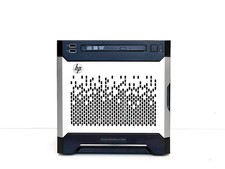
Maxed HP MicroServer Gen8 3.5GHz Xeon E3-1270 V2 16GB RAM 40TB RAID 1TB SSD NAS
$1499.00
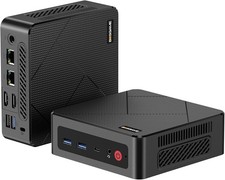
BOSGAME E4 Air Mini PC, AMD Ryzen 5 3500U 8GB DDR4 256GB SATA SSD
$169.99

Multi-Boot Linux & Utility 18 in 1 USB – Best of 2026 Free Same-Day Shipping
$22.99