

 Reply With Quote
did you use CD attached to graphic card and new screen? First connect old screen and install graphics card and make sure its working fine. After this you screen should work fine as well so do this and tell me results.


 Problem with detection Monitor/Graphic card
I replaced my original graphic card (ASUS EAH3850 512 MB DDR3) with a new (ASUS TURBO GTX1060 6GB) in my desktop.
Probably, this HW replacement caused my problem.
Start of Knoppix looks correctly. There are no errors / warnings in console.
But, after starting a graphical interface, there is a black screen, and monitor shows only a message:
"The current input timing is not supported by monitor display. Please change your input timing to 1920x1200@60Hz".
Probably the resolution or the frequency are outside from monitor range. Or there is a bad/incompatible driver for my graphic card.
So I tried to test a new version of Knoppix (version 7.7.1), - Booting from USB, but there is a same problem.
I tested "CTRL"+"DEL"+"-" , but without responds.
Also, I tried F2 and starts the knoppix with several parameters many times (always with a same negative result).
Fox example, I tested these parameters:
knoppix screen=1280x1024
knoppix64 norandr
knoppix64 xmodule=nv screen=1280x1024
knoppix xserver=XFree86 xmodule=vesa
knoppix screen=1280x1024 vsync=60 xmodule=svga
knoppix screen=1280x1024 vsync=60 hsync=60
knoppix screen=1920x1200 vsync=60 hsync=60
I am using a desktop pc with this hardware:
Processor AMD FX-8300, MotherBoard ASUS M5A97 LE R2.0, 16 GB RAM
!! Graphic Card ASUS TURBO GTX1060 6GB
!! monitor DELL U2412M (maximal res. 1920x1200 @ 60 Hz)
I will happy for any suggestions, because this is frustrating for me (I haven't got my original Graphic card yet).
Or, maybe some update of driver package in new version of Knoppix could helps.
Thank you.
did you use CD attached to graphic card and new screen? First connect old screen and install graphics card and make sure its working fine. After this you screen should work fine as well so do this and tell me results.
I would like to echo this question. I'm having the same problem. Has anyone solved this problem or have a work around?
 Posting Permissions


Samsung MLT-R116 Imaging Unit Xpress M2625 M2675 M2825 M2875 M2885 M3015 OEM NEW
$49.99

New Samsung 512GB FIT Plus USB 3.2 Gen 1 Type-A Flash Drive MUF-512AB/AM NEW
$120.00
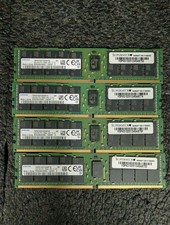
Lot 4 Samsung 64gb PC4-25600 2Rx4 DDR4-3200AA ECC RDIMM Reg Server Memory RAM
$3199.00

QTY 100 Samsung Galaxy Tab Active 4 Pro 10.1” Case, Black
$500.00

Samsung SCXSTP000, SCX-STP000 (Swingline Staple Cartridge - 3 Refills)
$57.99

Magnetic Leather Flip Case with Stand for Samsung Tab S9 S9+ S10+ S10 Ultra
$16.99

Kids Case for Samsung Galaxy Tab A9+/A9 plus 11 Inch 2023 Case, with Strap, Shoc
$27.99

Samsung PC4-2666V 16GB 2Rx8 RAM DDR4 2666MHz M471A2K43CB1-CTD
$59.99

Samsung Galaxy Tab Active 3/ 64 gig/WIFI
$85.00

Samsung Galaxy View Tablet 18.4 SM-T670/677A Charging Port 100% Original Oem
$98.99