-

Originally Posted by
fredvej

AFAIK it is not possible to boot from ISO and have persistence, because the persistent image must reside in the Knoppix directory. To make a bootable Knoppix do this: 1) boot from your ISO, adding the parameter tohd=/dev/sda5 to the kernel parameters. This will copy the Knoppix files to /dev/sda5/KNOPPIX I trust that you are familiar with booting GRUB and editing the boot commands with e and boot the edited command with F10 Is this what you call a poor man's install ? While running Knoppix from the ISO: 2) mount the ISO file so that you can read from it: sudo mount /mnt-iso/ISO/KNX.iso /mnt-user 3) copy the kernels and initrd to the Knoppix directory: sudo cp -a /mnt-user/boot/isolinux/linux* /mnt-iso/KNOPPIX/ sudo cp -a /mnt-user/boot/isolinux/minirt.gz /mnt-iso/KNOPPIX/ Reboot to your normal linux distro 4) make an entry in your GRUB config: menuentry "Knoppix64 7.7.1 from HD (on /dev/sda5)" { insmod part_gpt insmod ext2 set root='hd0,gpt5' linux /KNOPPIX/linux64 knoppix_dir=/KNOPPIX lang=en screen=1440x900 desktop=icewm acpi_osi='!Windows 2015' i915.preliminary_hw_support=1 initrd /KNOPPIX/minirt.gz } 5) boot Knoppix using GRUB entry, adding the parameter mkimage to the kernel parameters. This will activate the persistence image creation dialog during boot Next time you boot Knoppix, the persistent image will contain your settings and alterations.
Thanks, fredvej. That looks to have made progress. The only thing I never saw was any prompt for the persistence file. The 15 inch screen is almost impossible to read at 3840x2160, but it never paused that I could see. I tried a couple changes and reboot but they were lost. Any ideas how to run the mkimage and where to look for the persistence file?
 Posting Permissions
- You may not post new threads
- You may not post replies
- You may not post attachments
- You may not edit your posts
-
Forum Rules


Apple MacBook Air 13.6” M2 8GB 256GB SSD 2022 MLY33LL/A 8‑Core CPU 8‑Core GPU
$529.95

8-core 10-core GPU baseboard 8654 to PCIE 5.0x16 GPU expansion baseboard
$377.77
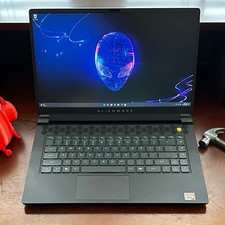
Dell Alienware m15 R7 AMD Ryzen 7 6800H 16GB DDR5 1TB SSD RTX 3070 Ti WIN 11 PRO
$920.00

Panasonic Toughbook CF19 MK8 Core i5 3610ME 2.7GHz 12GB RAM 512GB SSD Win 10 Pro
$319.00
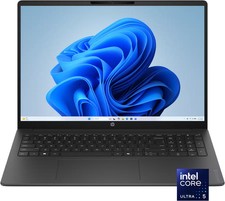
HP - OmniBook 3 16" 2K Touchscreen Laptop - Intel Core Ultra 5 (2025) - 8GB M...
$479.99

(New) AMD Ryzen 7 5700X 8 Core 16 Thread AM4 Unlocked 3.4 GHz CPU OEM Tray
$169.99

Lenovo LOQ 15 15.6" FHD 144Hz 8-Core i5-12450HX 16GB 512GB SSD GeForce RTX 4050
$799.00

Lenovo ThinkCentre M720q Intel Core i3 8100t 8GB 256GB SSD M2
$110.00

8-core 10-core GPU baseboard 8654 to PCIE 5.0x16 GPU expansion baseboard
$376.28
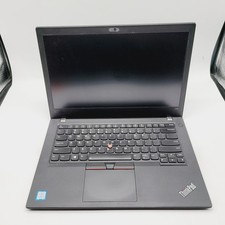
Lenovo ThinkPad T480 Core i5-8250u 1.6GHz 8GB 256GB SSD 14" ***Boot to Bios
$110.00



 Reply With Quote