

 Reply With Quote
It sounds like dpkg is griping because it wants a group named cdrom to exist. What happens if you add the group? You could probably delete it later with no ill effect unless the package you're installing absolutely needs it.


I searched for info here but was unsuccesful. I changed the default username from knoppix to my own name if that helps in troubleshooting the problem.
I tried executing apt-get update and then apt-get upgrade after installing on a hard disk but I got the following:
root@knop:~# apt-get update
.
.
.
Get:44 http://ftp.de.debian.org unstable/non-US/non-free Release [95B]
Fetched 7258kB in 37s (192kB/s)
Reading Package Lists... Done
Building Dependency Tree... Done
root@knop:~# apt-get upgrade
Reading Package Lists... Done
Building Dependency Tree... Done
The following packages have been kept back
autotrace cpp efax-gtk g++ gcc gnumeric jpilot-backup karbon kasteroids
kbattleship kbounce kchart kdelibs4-dev kformula kivio kmahjongg
koffice-libs koshell kpresenter kreversi ksokoban kspread kugar kword
libkdegames1 libnspr4 libnss3 liborbit2 libpng12-0 mgp mozilla
mozilla-browser mozilla-mailnews mozilla-psm mozilla-xft pilot-link stunnel
telnet-ssl telnetd-ssl tetex-extra
148 packages upgraded, 0 newly installed, 0 to remove and 40 not upgraded.
Need to get 15.9MB/63.3MB of archives. After unpacking 3738kB will be used.
Do you want to continue? [Y/n] y
Get:1 http://ftp.de.debian.org testing/main ncurses-bin 5.3.20030510-2 [199kB]
.
.
.
Get:23 http://ftp.de.debian.org testing/main xfonts-terminus 4.03-1 [672kB]
Get:24 http://ftp.de.debian.org testing/main fb-music-high 0.1.1 [6950kB]
Fetched 15.9MB in 1m22s (192kB/s)
Preconfiguring packages ...
dpkg: syntax error: unknown group `cdrom' in statusoverride file
E: Sub-process /usr/bin/dpkg returned an error code (2)
Any help greatly appreciated like pointing me to web pages with info what to do.
Thanks.
It sounds like dpkg is griping because it wants a group named cdrom to exist. What happens if you add the group? You could probably delete it later with no ill effect unless the package you're installing absolutely needs it.
Thanks a lot for the info.
I'm not very familiar with the apt-get process.
I did create the cdrom group and it continued but again asked for group postdrop. The process continued for a few minutes and then stopped again here.
Errors were encountered while processing:
cddb
E: Sub-process /usr/bin/dpkg returned an error code (1)
I did some search and in one mailing list it recommended more space to /temp. I check if I have that and surely I had to create one.
Overall I had to create three groups - cdrom, postdrop and audio to complete. Posted in the hopes others may use the info here.
Glad you got it working - what a pain though!
 Posting Permissions


Intel Core i7-9700 Octa-Core 3 GHz Desktop Processor LGA 1151
$79.99
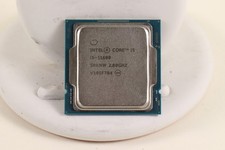
INTEL CORE I5-11600 2.80GHZ PROCESSOR | SRKNW
$109.99

INTEL CORE I7-870 SLBJG 2.93GHZ LGA1156 4 CORE CPU PROCESSOR
$23.00

Lot of 2 INTEL CORE ULTRA 5 245 PROCESSOR | 3.50 GHZ | SRVFE
$256.99

AMD Ryzen 5 5600X Desktop Processor (3.7GHz, 6 Cores, AM4 CPU) 100-100000065
$135.00

Intel Core i9-9900 3.10GHz CPU Processor SRG18
$165.00
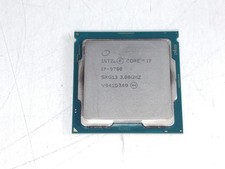
Intel Core i7-9700 3.00 GHz LGA 1151 Desktop CPU Processor SRG13
$79.99

Intel Core i5-7500 Processor (3.4 GHz, 4 Cores, LGA 1151) - SR335
$12.99

Intel Core i5-12600 SRL5T 12th Gen Desktop Processor 3.30GHz LGA1700 CPU
$185.00

*Brand New-Sealed* AMD Ryzen 9 9950X3D2 Dual Ed. 4.3GHz 16Core AM5 (Bulk+Fast)
$790.00