

 Reply With Quote
modprobe ne io=0x300 irq=11
Should work...


I have an old ISA NE2000 compatible nic that isn't detected at startup. How can I:
o alias eth0 to the ne module
o specify irq=11 and io=0x300 options for the ne module
o load the module
Thanks...
modprobe ne io=0x300 irq=11
Should work...
... and it did work. Thanks.Originally Posted by stonent
(I feel a littleas I should have known that)
That's ok, I had to refresh the memory myself.
Hi,
Forgive me, but Im new to Linux. Where would you enter/place this? At a cmdline once inside Knoppix, or is there a file it can be saved to? (for automated CD boot).
Thanks
Brad
Nevermind... figured it out.
http://www.knoppix.net/forum/viewtop...asc&highlight=
 Posting Permissions

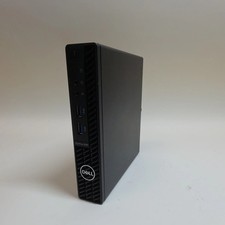
Dell OptiPlex 3080 Core i5-10500T 2.30GHz 8GB RAM 256GB SSD
$149.99
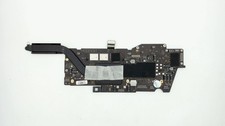
Apple Macbook Pro 13" A2338 M1 8-core CPU, 8-core GPU, 16GB, 1TB Logic Board
$295.00

Clear Touch Interactive Module CTI PCMOD PC55 ST i5 6core,8GB DDR4,256GB SSD NEW
$225.00
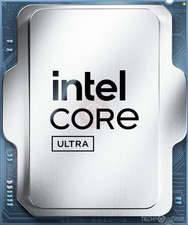
NEW Intel Core Ultra 7 265T 20-core 5.3GHz LGA1851 CPU Processor SRQCS 8P+12E
$269.99

(New) AMD Ryzen 7 5700X 8 Core 16 Thread AM4 Unlocked 3.4 GHz CPU OEM Tray
$174.99
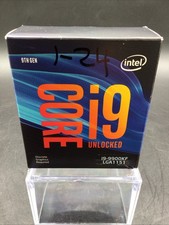
Intel Core i9-9900KF 8-Core 3.60GHz LGA1151 CPU 16MB Cache BX80684
$163.00
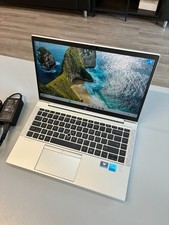
HP EliteBook 840 G8: Core i5-1135G7 / 16GB RAM / 256GB SSD / 14” / Windows 11
$215.00

AMD Ryzen 7 9800X3D 8-Core 16-Thread AM5 Zen 5 Desktop Processor NEW
$395.00

Intel Core i9-9900 SRG18 3.10GHz 16MB 8-Core LGA1151 CPU Processor
$177.21
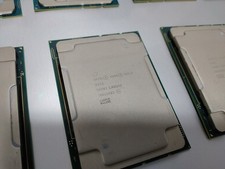
Intel Xeon Gold 6242 SR8FY 2.8GHz 22MB 16-Core 32 Thread FCLGA3647 CPU Processor
$59.48