

 Reply With Quote
The logout problem is strange. I haven't seen that before. You can try this: Ctrl+Alt+Backspace. This will crash X. It's one way to get out of KDE albeit not the smoothest way.


Am running knoppix 3.2. Just installed with a dual boot with winXP.
I can't seem to be able to logout of KDE and login as a diff user. When i hit logout, the green dragon appears and if i choose logout, the screen goes black and just stays that way.
Also I can't seem to figure out how to add another user to my knoppix.
My HDD is currently split into four parts. a NTFS partit for XP, a FAT32 that I am hoping to use for both OSes, a ext3 and a linux swap. I can;t seem to be able to see my NTFS and FAT32 partitions on linux. I understand that I can only read from NTFS but like I said I wanted a FAT32 for my mp3s and pictures.
Any help is greatly appreciated.
xolstis
The logout problem is strange. I haven't seen that before. You can try this: Ctrl+Alt+Backspace. This will crash X. It's one way to get out of KDE albeit not the smoothest way.
yupps ctrl-alt-backspace does work, but not the regular logout using the GUI. Crashing X does not have any adverse affect on the system does it?
Had the same problem, but not when running Knoppix on cd, only with HD-install. Any ideas what's the reason/solution? I am a newbie with a XP-dualboot Fujitsu-Siemens laptop, using GRUB as a bootloader. The problem remains with both most recent version of Knoppix cd as well as with the one from May...
I had the same problem running from CD. I logout from X and the session shuts down and I'm back at the colored text boot screen (what's a green dragon?). Next thing you know the boot screen says it's sending all processes the TERM signal, then (IIRC) the KILL signal. Shortly thereafter the CD ejects and I'm told to remove it and hit [ENTER]. When I do, the system powers down. Man, I just wanted to log out from knoppix and back in as root!
Another option to the ctrl + alt + bksp is ctrl + alt + f2, f3, f4, and f5 takes you back to the xwin term, f1 takes you to the 1st term screen which has the boot up info
just another option to try
I can't get by login.
I just installed using the knoppix CD. When I login and give password I get my hostname followed by~$.
Anything I type in gets
-bash: whatever thecommand:command not found.
I can't get by login.
I just installed using the knoppix CD. When I login and give password I get my hostname followed by~$.
Anything I type in gets
-bash: whatever thecommand:command not found.
Sounds like somehow you didn't set a user or root password (or whichever script you were using failed).
For (absolute) clarity it should look something like this:
login: [you type "root" or "knoppix" + hit enter]
password: [you type the password you set + hit enter]
But I'm guessing you did all that. You might want to try
linux -s
which -- on some systems, dunno about Knoppix -- gets you in in single user mode.
BTW, the "command not found" error can have several causes: either you're trying to run something only root can do, or the command doesn't exist, or the user doesn't exist.
 Posting Permissions


Kingston 32GB 64GB 128GB 256GB USB 3.0 Flash Drive Thumb Memory Stick Pen lot
$285.90

SanDisk Ultra Luxe USB 3.1 Flash Drive – 5 Pack | Premium Metal USB Flash Drives
$59.99

5-Pack Microsoft Windows 10 Pro Retail USB Installation Key New Sealed
$116.99

Zero Trace Pen: All-in-one Tor Network Anonymous Drive + Cryptocurrency Wallet
$147.00

Sandisk 16GB 32GB 64GB 128GB Cruzer Blade Flash Drive Memory Stick USB Lot Pack
$88.90

LOT 10x SanDisk 32GB ULTRA USB 3.0 flash drive SDCZ48-032G 32 GB read 100 MB/s
$39.80
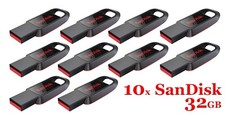
LOT 10x SanDisk 32GB Cruzer Spark USB 2.0 flash drive 32 GB SDCZ61-032G 32G
$34.80

USB Type-A Flash Drive Metal Memory Stick High Speed USB Drive 128GB 256GB 512GB
$7.97

Microsoft Windows 11 Pro 64bit - New Sealed – Flash USB 1 PC
$49.99

Windows 11 Pro Install/Recovery/Repair USB Flash Drive
$35.00