-
Senior Member
registered user
Directly from the Docs-
PREPARING YOUR DEVELOPMENT ENVIRONMENT
At this point you should already have Knoppix copied off of your CD and in source and master directories on a hard drive. In addition to making the source and master partitions (from now on I'll just call them source and master directories because I just made two directories on one partition: /mnt/hda1/source and /mnt/hda1/master.) you will also want to make two folders on the root of this partition: boot and mroot. This will leave you with a partition having four folders: master, source, boot, and mroot. The first two you should already be familiar with. 'boot' will be where we will mount the boot.img file, and 'mroot' is where we will mount miniroot.gz, which is contained within the boot.img file. Are you with me so far? Good! Let's get started..
First of all, copy master/KNOPPIX/boot.img (or boot-en.img if you want english default keyboard settings) to the root of your partition, where the four folders above reside. Stash a copy away somewhere or make a boot.img.old. Sure, you still have a copy in master/KNOPPIX, but wasn't the one you just overwrote it with broken? oops! Hopefully you still have the original CD if things get too hairy. 
Now for the fun part: 'mount boot.img boot -t msdos -o loop=/dev/loop0' will mount the boot floppy in the boot folder. Next, 'cp boot/miniroot.gz .', 'gunzip miniroot.gz', and 'mount miniroot mroot -t ext2 -o loop=/dev/loop1'.
Now we have the boot floppy with the original kernel, miniroot.gz, and config files in the boot folder. I suggest copying any other files you wish to modify to the root of your dev partition as well, or maybe make a bak or tmp folder to store your backups in. From here on, I will just assume you are backing up all original files and not bug you any more about it. Just be aware of what exactly you have modified on your boot floppy, and don't forget to unmount it before copying it back to your master folder.
PREPARING YOUR KERNEL
Do not apply the knoppix-kernel patch until you have finished all kernel configuration. If you need to go back and tweak your kernel configuration later on, you will need to re-apply the knoppix-kernel patch after you save your new configuration and before you begin building your kernel. This is because the kernel patch makes changes to setup.c, which saving a new configuration can often overwrite.
Similar Threads
-
By id10t in forum Customising & Remastering
Replies: 1
Last Post: 04-17-2005, 10:22 PM
-
By roli in forum General Support
Replies: 0
Last Post: 03-23-2004, 10:20 AM
-
By amontefusco in forum Laptops
Replies: 4
Last Post: 12-09-2003, 09:46 AM
-
By pankajgadhari in forum Customising & Remastering
Replies: 2
Last Post: 12-05-2003, 10:09 PM
-
By firepunk in forum Customising & Remastering
Replies: 10
Last Post: 08-09-2003, 04:40 AM
 Posting Permissions
- You may not post new threads
- You may not post replies
- You may not post attachments
- You may not edit your posts
-
Forum Rules


(New) AMD Ryzen 7 5700X 8 Core 16 Thread AM4 Unlocked 3.4 GHz CPU OEM Tray
$174.99

AMD Ryzen 7 PRO 8700GE 8-Core/16-Thread Up to 5.1GHz AM5 (FL1)
$189.00
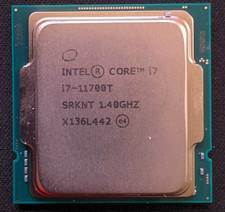
Intel Core i7-11700T 1.4GHz Processor 8-Core Socket LGA1200 SRKNT
$129.95

SGIN 17.3" Laptop Intel Quad-Core Up to 2.4 GHZ 8GB RAM 256GB SSD HD
$229.99
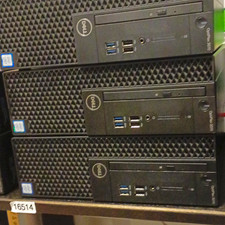
Dell OptiPlex 3070 SFF Desktop Intel Core i3 9th gen 8gb RAM 128gb NVMe win11pro
$79.99

AMD Ryzen 7 9800X3D 8-Core 16-Thread AM5 Zen 5 Desktop Processor NEW
$399.00

Apple Macbook Pro 13" M1 8-Core 16GB 512GB - Good
$464.99

AMD Ryzen 7 9800X3D 8-Core 16-Thread AM5 CPU Processor Brand New Unused
$395.95

Dell OptiPlex 5070 SFF i7-9700 (8-Core) 3.0GHz 16GB 256 SSD Windows 11
$250.00

DELL OPTIPLEX 3280 21.5" AIO Core i5 10500T 8GB 256GB NVMe Windows 11 -NO STAND
$199.99



 Reply With Quote