-
Knoppix 8.1 don’t find its boot media
I have Knoppix 8.1 from the Linux Magazine. When I boot from the DVD I can see Knoppix Welcome screen. When I give the command knoppix64 in the boot prompt Knoppix begins to scan my harddrives but do not find ”itself” in the cd-slot and then stops.
My computer has an ordinary Bios not UEFI.
I managed to solve that problem. I wrote knoppix64 /dev/sr0 in the command prompt.
But this is the problem I hope someone can help me with:
I installed Knoppix using the install function in Knoppix to a flashdisk with a persistence partition. Now I have the same problem as above. It scans the drives but cannot find the usb-stick.
Gparted in Knoppix tells me the usb-drive is sdg with two partitions /dev/sdg1 and /dev/sdg2 for the persistence partition.
No boot with the command ”Knoppix64 /dev/sdg1”
What command should I use?
Is this a bug or not? In my opinion yes.
 Posting Permissions
- You may not post new threads
- You may not post replies
- You may not post attachments
- You may not edit your posts
-
Forum Rules


(New) AMD Ryzen 7 5700X 8 Core 16 Thread AM4 Unlocked 3.4 GHz CPU OEM Tray
$174.99

HP Z420 Pro Workstation PC Xeon E5-2660 8-Core 64GB RAM Quadro K5000 128GB SSD
$249.00

Intel Core i7-10700 8-Core 16-Thread 2.9GHz Desktop CPU LGA1200 SRH6Y Z490 Z590
$129.00
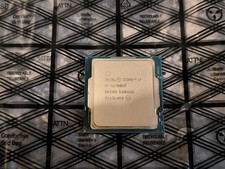
Intel Core i7-11700KF 3.60GHz 8 Core SRKNN 16 Thread LGA 1200 USED
$180.00

Intel Xeon E5 - 2667V2 / SR19W 3.30GHz 25MB 8-Core CPU Socket LGA2011
$30.00

AMD Ryzen 7 9700X 8-Core 16-Thread 40MB Cache Socket AM5 9000 Series Processor
$245.99

AMD Ryzen Threadripper PRO 3945WX 12-Core 4.0GHz sWRX8 CPU NEW Tray Unlocked
$79.99

AMD FX 8350 8-CORE 4.00GHz CPU FD8350FRW8KHK SOCKET AM3+ *QTY
$39.99

Dell Optiplex 7050 Micro Core i5-7500 8 GB RAM 256GB SSD Microsoft Windows 11
$89.99

SGIN 17.3" Laptop Intel Quad-Core Up to 2.4 GHZ 8GB RAM 256GB SSD HD
$229.99



 Reply With Quote