-
shortcuts to devices on desktop - where are they created?
I want to disable those shortcuts to my storage devices on the desktop, but I can't find the scripts that creates them....
any clues?
silly me.
just found it.
the script mkdesktophdicons is responsible for this.
it is located in /usr/bin and is called by /etc/X11/Xsession.d/45xsession
Similar Threads
-
By jjohnson0000 in forum General Support
Replies: 1
Last Post: 06-13-2005, 04:06 PM
-
By jborges in forum General Support
Replies: 1
Last Post: 11-21-2004, 06:20 PM
-
By electronicjason in forum General Support
Replies: 3
Last Post: 10-05-2003, 05:59 PM
-
By ottod in forum Hardware & Booting
Replies: 2
Last Post: 08-23-2003, 02:04 AM
-
By Tortoise in forum General Support
Replies: 2
Last Post: 05-26-2003, 05:50 PM
 Posting Permissions
- You may not post new threads
- You may not post replies
- You may not post attachments
- You may not edit your posts
-
Forum Rules


(New) AMD Ryzen 7 5700X 8 Core 16 Thread AM4 Unlocked 3.4 GHz CPU OEM Tray
$174.99

AMD Ryzen 7 PRO 8700GE 8-Core/16-Thread Up to 5.1GHz AM5 (FL1)
$189.00
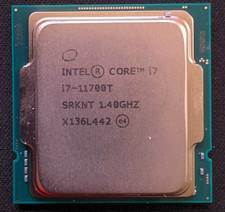
Intel Core i7-11700T 1.4GHz Processor 8-Core Socket LGA1200 SRKNT
$129.95

SGIN 17.3" Laptop Intel Quad-Core Up to 2.4 GHZ 8GB RAM 256GB SSD HD
$229.99
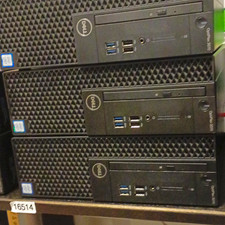
Dell OptiPlex 3070 SFF Desktop Intel Core i3 9th gen 8gb RAM 128gb NVMe win11pro
$79.99

AMD Ryzen 7 9800X3D 8-Core 16-Thread AM5 Zen 5 Desktop Processor NEW
$399.00

Apple Macbook Pro 13" M1 8-Core 16GB 512GB - Good
$464.99

AMD Ryzen 7 9800X3D 8-Core 16-Thread AM5 CPU Processor Brand New Unused
$395.95

Dell OptiPlex 5070 SFF i7-9700 (8-Core) 3.0GHz 16GB 256 SSD Windows 11
$250.00

DELL OPTIPLEX 3280 21.5" AIO Core i5 10500T 8GB 256GB NVMe Windows 11 -NO STAND
$199.99



 Reply With Quote