

 Reply With Quote
Just as a note I tried to go in and use some of those cheat sheet codes and none of them worked:
knoppix xvrefresh=60 doesn't work ( And my monitor supports 85htz at 1152x864 )
Help?


I Just downloaded knoppix and burned with nero. It boots into the cd and finishes loading drivers for my Hardware and when it goes to the next screen the monitor acts like the refresh rate is too high and it shuts off....what would cause this and how can I fix it. Thanks!
Just as a note I tried to go in and use some of those cheat sheet codes and none of them worked:
knoppix xvrefresh=60 doesn't work ( And my monitor supports 85htz at 1152x864 )
Help?
Try knoppix vga=normal or noddc to stop auto-detection of the monitor. You may want to try one of the fb images like fb1024x768 and of course there is always failsafe which will boot with minimal hardware detection. Maybe even knoppix vga=normal screen=1152x864 xvrefresh=85 also you never mentioned your video card you may want to use the xmodule=?? cheat code for the card replace ?? with the correct module name eg. nv (Nvidia), ati (ATI)
Thanks a lot!!! I will go try it right now.
BTW I have a Gforce FX @ 290/405..only gets 5586 on 3dmark2001Wish I would have held out for the 5600 ultra which is now at 160$
Hrmm, even failsafe didn't work??? Still acting like its too high of a refresh rate except this time flashing with color
I got the same problem and still didn't find any working knoppix cheat code. Did you solve the problem yet???
Nope, I just gave up.
Which video adapter (graphics card) do you have? Which monitor? have you tried the [Ctrl]+[Alt]+[keypad +] on-the-fly resolution-switch function after boot?Originally Posted by Hedgehogsforprez
Also:
I missed this message earlier, or I would have responded then...
Which monitor? have you tried the [Ctrl]+[Alt]+[keypad +] on-the-fly resolution-switch function after boot?
I had this problem also and I tried the [ctrl] [alt] [+] and it worked!
[ctrl] [alt] [+] worked for me too, but I got a horrible bad resolution. This way I could find out, that my gfx card wasn't detected correctly. Starting with the cheat code xmodule=radeon it looks much better...
 Posting Permissions

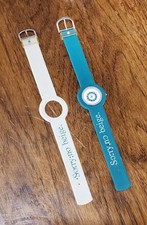
Vintage Apple iMac G3 “Sorry, no beige.” Wristwatch – Two Original Bands
$249.95
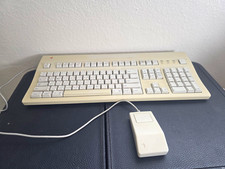
Vintage Apple Extended Keyboard II M3501 + ADB Mouse G5431 Macintosh
$119.99

Lot of 3 VIntage Apple Computer Rainbow Logo Sticker Decal Macintosh 1980s NOS
$7.00
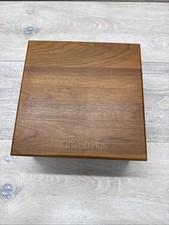
Vintage Apple Macintosh Plus Vintage Wooden Box with Hinges
$125.00
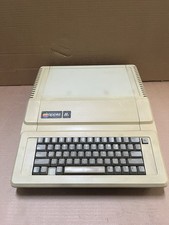
Apple IIe Vintage Home Computer A2S2064 Apple Computer Model IIe untested
$199.99
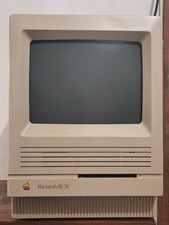
Vintage 1988 Apple MAC SE/30 Computer M5119 Logic, Analog & PSU Recapped
$850.00

Vintage 1988 Apple Macintosh Plus 1MB M0001A Computer Keyboard WORKING See Video
$225.00
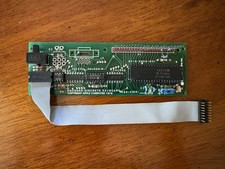
1979 Apple II / Apple II+ Keyboard Encoder Board 605-X105 w/PROM 331-0931-B
$64.95
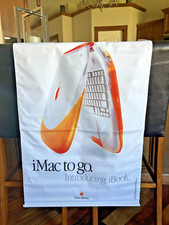
Vintage NOS Apple iBook Two Sided Cloth Banner Think Different
$99.99

Apple cloth fabric banner iBook tangerine orange New Old Stock Vintage
$99.00