-
Knoppix 3.2 v06-06-2003 VIA no sound
Hello everyone I am still very new to Linux and to Knoppix 3.2. the v.06-06-2003 I have installed the live cd to my HDD
and although mostly it works I am having problems with No Audio I have looked on the forum
and tried many of the tips but still no sound from CD MP3's or System.
When I run sndconfig I see this
?????????????????????????????????????????????????? ?????????????
?
? PCI Probe Results
? A PCI sound card was found in your system. The details given are:
?
? Model VIA Technologies|VTI8233 [AC97 Audio Controller]
?
? ??????
? ? Ok ?
? ??????
?
?????????????????????????????????????????????????? ??????????
At The end of trying to configure the soundcard I see this
?????????????????????????????????????????????????? ???????????????????
?
? The following error occured running the modprobe
? /lib/modules/2.4.20-xfs/kernel/drivers/sound/via82cxxx_audio.o: init_module : No such device
? /lib/modules/2.4.20-xfs/kernel/drivers/sound/via82cxxx_audio.o: insmod
? /lib/modules/2.4.20-xfs/kernel/drivers/sound/via82cxxx_audio.o failed
? /lib/modules/2.4.20-xfs/kernel/drivers/sound/via82cxxx_audio.o: insmod sound-slot-0 failed
?
?????????????????????????????????????????????????? ??????????????????????
I have tried to get alsa working but no joy with it. The alsa install using apt-get says that an error occurs
when trying to install it can't overwrite alsa-utils.
I have tried to download drivers from VIA but it seems that none are available for Debian,
there are rpms for some Linux but not for .deb
that debian can handle so I am stuck, up the creek as it were without a paddle
Hee-Hee Help
Can anyone help me to sort out this annoying problem Thank You
KPFOX1

-
Senior Member
registered user
I'm not sure if you're doing this from a HD install or a CD. If from HD you can install Alsa from source. I've done it -- Alsa works fine. Get the source from the Alsa site. Do a good search for the documentation for your soundcard as you need to compile specifically for the via card.
If you're talking CD, I can't help!
-
Junior Member
registered user
I have a similar problem.
On my motherboard, an ECS l7vta with VIA KT400 chipset, there is also a 8233. Unfortunately, the driver via82cxxx_audio only works on the chip on my motherboard with version above 2.24-pre4 (approximately).
My advise is to wait (hopefully not too long) for a new version of Knoppix - I guess it will include kernel 2.4.21
I should notice, that I have had some problems with recording from the vt8233 with that kernel version too.
I can record with alsa (0.9.4), but with alsa, I have some problems with sampling frequency 44100. The output is rather noisy.
-
re Knoppix 3.2 v06-06-2003 VIA no sound
Hello I asked the question about the VIA82cxxx_audio drivers and thank you for the replies . The knoppix 3.2 is installed on my hard drive, although I have run if from CD before I installed it and then I also had the sound problems I figured to sort it out when it was installed. Thanks for the tips I will go to the alsa website and download the source and give it a try and see what happens. Also I like the idea that the next version of Knoppix will have support for the VIA drivers. However I would consider it a small success if I could get it to work instead of waiting for the next release
Again Thank You I will report back if I succeed 
-
Senior Member
registered user
Alsa is already included with the version of knoppix you are using. To enable on a HD install as root in a console /etc/init.d/alsa-autoconfig will scan for your sound and create the required devices and you will then be able to use your sound. When you re-boot the sound levels will not be set you should edit the file /etc/init.d/bootmisc.sh as root and put the lines:
Code:
# Added by me for volume levels for alsa
aumix -w 75 -v 75
at the bottom of the file, your levels will now be set every time you boot. You may also want to check this thread to get the most out of your sound system. When you boot from the CD use the cheat code alsa for your sound.
-
Hello everyone it is me again I would like to say thank you to all of the people who were kind enough to help me to sort out my sound problems YES It is now Working after 5 days of trying various different approaches. The tip about building from source worked for me, I have had many a try using apt-get and no joy I have tried sndconfig and no joy but now it's no problemo
So anyone else struggling with sound using the VIA AC97 soundcard it can be sorted. Just ask and keep trying I was about to buy a new soundcard now no need
Again Thank You all I could not have done it without your help 
-
I too have the same problem, everything installs great as per alsa via instructions but no sound.
Im using 2.4.18 is that the problem ?
greg
Similar Threads
-
By spitfire in forum Hardware & Booting
Replies: 1
Last Post: 10-30-2004, 02:56 AM
-
By dejan in forum General Support
Replies: 0
Last Post: 02-24-2004, 08:16 PM
-
By kx14386 in forum Laptops
Replies: 5
Last Post: 09-07-2003, 10:47 AM
-
By JoDaY in forum General Support
Replies: 3
Last Post: 08-15-2003, 12:46 AM
-
By jedovaty in forum Hardware & Booting
Replies: 2
Last Post: 06-12-2003, 06:36 PM
 Posting Permissions
- You may not post new threads
- You may not post replies
- You may not post attachments
- You may not edit your posts
-
Forum Rules


Apple Computer cards VTG 670-8020-B 607-0103-C 607-0291-C AST -Orange Micro ++
$169.00

Vintage Apple iMac G4 15" Lamp 700MHz 512MB Mac OS X 10.4.6 W/ Pro Speakers
$300.00
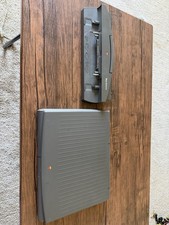
PowerBook Duo 210 vintage laptop
$120.00

Lot of 3 VIntage Apple Computer Rainbow Logo Sticker Decal Macintosh 1980s NOS
$7.00

Rare Vintage Macintosh Apple Wooden Disk Storage Box Dovetailed
$69.95
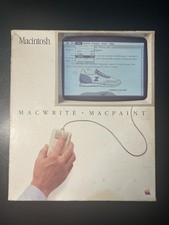
Vintage 1984 Apple Macintosh MacWrite & MacPaint Boxed Set - Near Complete
$125.00
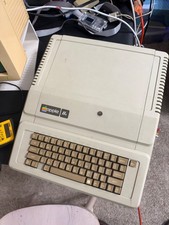
Apple IIe Vintage Computer A2S2064 Powers On Apple II Untested For Parts/repair
$149.99

LARGE LOT Vintage Apple Macintosh Mouse Cables Accessories SCSI etc - UNTESTED
$80.00

VINTAGE Apple Mac OS X Computer Monitor
$250.00

Vintage Apple Color RGB Color Monitor A2M6014. Used.
$199.99



 Reply With Quote