

 Reply With Quote
You'll need to edit /etc/fstab and delete the # from any drives you want mounted.


before i used knx-hdinstall i could access my cdrom floppy and both my fat32 windows drives but now when i try to access them in the console or the windowmanager all i get are no files listed in console mode when i type ls and no files viewed in the file manager. the startup proccess does recognise them and mounts them but im unable to see any files. i am logged in as root.
can any one help ta...
You'll need to edit /etc/fstab and delete the # from any drives you want mounted.
Also, in fstab you may see the option "noauto" on the lines for your windows partitions. This means they will not auto mount (look under "man fstab" or "man mount" or try typing "apropos fstab" for more information). Anyway, if fstab as these set as "noauto" then you must mount them manually as root. Assuming they are correctly defined in fstab, all you need do is "mount /mnt/hda1" or hdb as req'd.
Hope this helps,
Joe
 Posting Permissions


USB 3.0 Flash Drive 32GB 64GB 128GB Memory Stick Thumb Stick Lot Pack
$826.09

SanDisk Ultra Luxe USB 3.1 Flash Drive – 5 Pack | Premium Metal USB Flash Drives
$59.99

Microsoft Windows 11 Pro 64bit - New Sealed – Flash USB 1 PC
$49.99
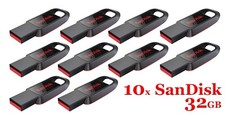
LOT 10x SanDisk 32GB Cruzer Spark USB 2.0 flash drive 32 GB SDCZ61-032G 32G
$34.80

LOT 10x SanDisk 32GB ULTRA USB 3.0 flash drive SDCZ48-032G 32 GB read 100 MB/s
$39.80

Sandisk 16GB 32GB 64GB 128GB Cruzer Blade Flash Drive Memory Stick USB Lot Pack
$68.90

Kingston 32GB 64GB 128GB 256GB USB 3.0 Flash Drive Thumb Memory Stick Pen lot
$86.90

USB Type-A Flash Drive Metal Memory Stick High Speed USB Drive 128GB 256GB 512GB
$7.97
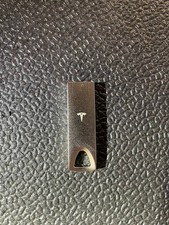
Tesla 128gb usb flash drive 3.1
$15.99

Wholesale 5/10/100PCS 1GB 2GB 4GB 8GB 16GB 32GB USB 2.0 Flash Drive Memory Stick
$259.02