-
can ping router but no internet
hi
I can get into my router with either browser, but i cant seem to browse the net. ANy suggestions, looked into settings for browser but couldnt see anything there
-
Administrator
Site Admin-
I'm guessing that your "router" is a DSL or cable gateway, but you should really give more info.
OK, you can see the router. Are you configuring Knoppix with DHCP or manually? Check the default gateway and be sure it is set to the router's IP address. Also, be sure that the router is actually getting a network connection (if you have a PPPoE connection, be sure that your lease hasn't expired - some routers like the Linksys will claim they still have a connection when the lease has expired). If it's a Linksys and it connects by PPPoE to an ISP, force a disconnection and then reconnect to rule this out.
If all of that fails, post back with more detailed info, including all of your settings and what type of router and what type of a system you are connecting to.
-
Senior Member
registered user
Your DNS info should be automatically handed off to Knoppix by your router, but it sounds like that may not happening. Can you ping ip addresses on the net. That should certainly confirm whether or not it's a dns problem.
You can enter your dns info manually in /etc/resolv.conf.
I suspect that doing this should fix things for you.
-
cant ping other websites, the router i can
-
Administrator
Site Admin-
Oh, come on! If you want help, at least try to give us a little input what you're doing!
I actually think aay could be on the right track, but you give so little information we can't tell at all. When you say you can't ping other websites, do you mean you can't ping an IP address that you know to be another website, or that you can't ping a URL (which might well indicate a DNS problem)?
What router are you using? Are you doing a DHCP address configuration? (If you're manually configuring you could certainly be getting a setting wrong that would cause the device not to be able to properly do NAT translation to you but would still let you access it). What is the ISP, and what type of service is it? What does ifconfig report? Have you (or anyone else) set up any rules or restrictions in the router that could be an issue? Are there other computers connected to the router, and if so can they get to the Internet while the Knoppix system fails? If there are other computers, can you ping them and can you transfer files to and from them?
Give us some IP addresses you're using, sub-net masks, default gateway settings and the rest and we may well be able to help you. Just posting "it's broke" isn't likely to get much help.
Similar Threads
-
By CapNemo in forum Networking
Replies: 22
Last Post: 03-13-2005, 09:58 PM
-
By kaen in forum Networking
Replies: 4
Last Post: 07-20-2004, 02:39 PM
-
By megahertzme in forum Networking
Replies: 7
Last Post: 04-06-2004, 10:10 AM
-
By rayman in forum Networking
Replies: 1
Last Post: 07-03-2003, 07:26 PM
-
By katrina1 in forum General Support
Replies: 1
Last Post: 03-22-2003, 02:55 PM
 Posting Permissions
- You may not post new threads
- You may not post replies
- You may not post attachments
- You may not edit your posts
-
Forum Rules

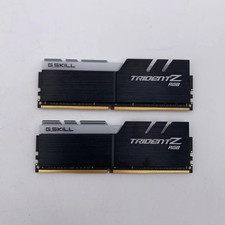
G.Skill Trident Z RGB 32GB (2x16GB) RAM DDR4 3200MHz F4-3200C16D-32GTZR
$159.99

Crucial 32GB 2x16GB DDR4-3200 CL22 288-Pin RAM Desktop Memory CT16G4DFRA32A.C8FE
$174.00

Corsair CMK32GX4M2B3000C15 Vengeance LPX DDR4 3000mhz Memory Kit - 32GB (2x16GB)
$164.95

RAMAXEL Lenovo 32GB LPDDR5X CAMM2 7500MHz Laptop RAM | UNTESTED
$445.00

Corsair Vengeance RGB Pro White DDR4 DIMM 288-Pin Desktop RAM Memory (4x8GB)
$275.00

Corsair Vengeance DDR3 8GB 16GB 32GB 1866MHz PC3-14900 Desktop RAM Memory DIMM
$43.00
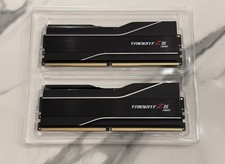
GSKILL Trident Z5 Neo RGB DDR5 32GB (2x 16GB) 6000MTs CL30 *AMD EXPO* RAM Kit
$499.99
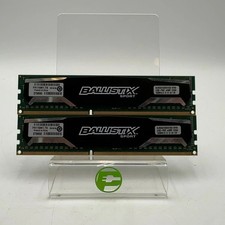
Ballistix Sport 16GB (2x8GB) RAM DDR3 1600MHz BLS2KIT8G3D1609DS1S00
$25.00

LOT OF 23 Ram Sticks-Corsair Vengeance CMZ8GX3M2A1600C9 4GB (4GBx23=92GB Total)
$129.99
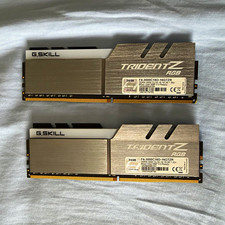
G.SKILL Trident Z RGB 16GB (2x8GB) DDR4-3000 DIMM 288-Pin XMP F4-3000C16D
$80.00



 Reply With Quote