

 Reply With Quote
For sure you can do it by selecting "probe multiple LUN's on each device" when configureing a custom kernel. I have also heard of people using various boot params, but I've not had any success that way.


I am trying to get my SanDisk 2in1 card reader to work. From what I understand the Smartmedia slot ( the one I need) is on LUN 1. Is there a way to enable that additional LUN? I have asked on the Knoppiz mailing list if "Probe Additional LUNs" was selected in the latest versions kernel but got no reply. Any help would be appreciated.
For sure you can do it by selecting "probe multiple LUN's on each device" when configureing a custom kernel. I have also heard of people using various boot params, but I've not had any success that way.
You could try something like this for example:
echo "scsi-add-single-device 1 0 0 1" >
/proc/scsi/scsi
That might get your card reader into the /proc filesystem.
BTW-
Have a look at /usr/src/linux/.config and you'll see this:
VeeDubb is right- you'd need to recompile the kernel. I don't know why it's not set.Code:CONFIG_SCSI_MULTI_LUN is not set
According to Klaus, on the mailing list, it's not set because then there would be 7 erroneous SCSI drives on the desktop.Originally Posted by rickenbacherus
Did anyone get this to work? I have a 6in1 USB card reader but only the slot with LUN 0 is recognized.
I have not tried it with Knoppix, but it has worked with both RedHat 9 and Mandrake 9.1
in /etc/modules.conf add the line
options scsi_mod max_scsi_luns=12
The only way I know of doing this with Knoppix is with a remaster.
I forgot that /etc/modules.conf is not to be edited. It is built by the stuff in /etc/modutils
I would add it to the end of /etc/modutils/aliases
# support for SansDisk 5-in-1 reader
options scsi_mod max_scsi_luns=12
And then run update-modules as root for the changes to take effect on the next reload of the module.
Thanks for the quick reply. Still I can only use one out of four slots of my USB card reader. How can I check whether all LUNs are activated?
cat /proc/scsi/scsi
So far, it looks just as before.Code:Attached devices: Host: scsi0 Channel: 00 Id: 00 Lun: 00 Vendor: SONY Model: CD-RW CRX140E Rev: 1.0n Type: CD-ROM ANSI SCSI revision: 02 Host: scsi1 Channel: 00 Id: 00 Lun: 00 Vendor: IC Model: USB Storage-CFC Rev: 301b Type: Direct-Access ANSI SCSI revision: 02 Host: scsi1 Channel: 00 Id: 00 Lun: 01 Vendor: IC Model: USB Storage-SMC Rev: 301b Type: Direct-Access ANSI SCSI revision: 02 Host: scsi1 Channel: 00 Id: 00 Lun: 02 Vendor: IC Model: USB Storage-MMC Rev: 301b Type: Direct-Access ANSI SCSI revision: 02 Host: scsi1 Channel: 00 Id: 00 Lun: 03 Vendor: IC Model: USB Storage-MSC Rev: 301b Type: Direct-Access ANSI SCSI revision: 0
But:
scsi_info /dev/sdc
That last thing wasn't there before your hint. But still I cannot mount the MMC card:Code:SCSI_ID="0,0,2" MODEL="IC USB Storage-MMC" FW_REV="301b"
Code:mount /dev/sdc1 /mnt/test mount: /dev/sdc1 is not a valid block device
I would try
The reason being, is I suspect the following is true:Code:mount /dev/sdc3 /mnt/test
/dev/sdc1 CFC
/dev/sdc2 SMC
/dev/sdc3 MMC
/dev/sdc4 MSC
 Posting Permissions


Intel Core i7-3770K 3.5 GHz Processor
$39.00

Intel Core i7-9700 3.0 GHz Octo-Core (SRG13) Processor
$79.00
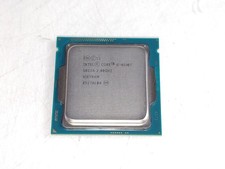
Intel Core i5-4590T 2 GHz 5 GT/s LGA 1150 Desktop CPU Processor SR1S6
$10.99
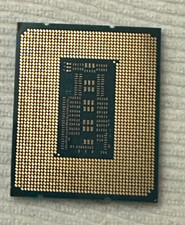
Intel Core i7-13700 16-Core 2.10GHz LGA1700 CPU Processor SRMBA
$235.00

Intel Core i7-9700 SRG13 3.0 GHz Desktop CPU
$80.00

Intel SRG17 Core i7-9700T Desktop Processor CPU
$79.99
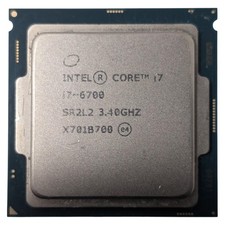
Intel Core i7-6700 Processor (3.40 GHz, 4 Cores, LGA 1151) - SR2L2
$34.99
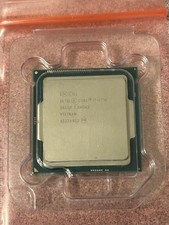
Intel Core i7-4790 3.6 GHz 4th Gen 4 Cores 8 Threads Desktop CPU SR1QF
$39.95

PS5 Over Heating Problem Solver 1.5 Grams Liquid metal thermal paste CPU, GPU
$15.99

Intel 6th Gen Core i7-6700K 4.0GHz (Turbo 4.2GHz) 4-Core LGA1151 CPU SR2L0
$38.00