-
Senior Member
registered user
Re: mount cdrom
--If you need to "mount" the cdrom, then you must be running from the HD. Otherwise, all you have to do is ' ls /cdrom '.
Try (as root of course) :
' mkdir /mnt/cdrom ' == JIC
' mount /dev/scd0 /mnt/cdrom -oro '
' ls /mnt/cdrom '
--BTW, you can also try mounting sr0, and /dev/cdrom. The mount point you use can also be any existing directory name. (i.e. you can ' mount /dev/scd0 /usr ' -- but I wouldn't try it if I were you.) 

Originally Posted by
new-to-knoppix
Hello all-
I'm use to the supermount cdrom from the redhat-mandrake linux linux
How do I mount the cdrom drive? I see a /cdrom under root, but no /mnt/cdrom?
Any help will be appreciated!
Similar Threads
-
By bob58 in forum Hardware & Booting
Replies: 2
Last Post: 10-04-2004, 01:01 AM
-
By Braim in forum Hdd Install / Debian / Apt
Replies: 7
Last Post: 05-20-2004, 06:55 PM
-
By coindood in forum Hardware & Booting
Replies: 0
Last Post: 02-25-2004, 01:37 AM
-
By MattT in forum Hdd Install / Debian / Apt
Replies: 6
Last Post: 09-22-2003, 05:03 AM
-
By Didier in forum General Support
Replies: 0
Last Post: 01-22-2003, 12:00 PM
 Posting Permissions
- You may not post new threads
- You may not post replies
- You may not post attachments
- You may not edit your posts
-
Forum Rules


Intel Core i7-9700 Octa-Core 3 GHz Desktop Processor LGA 1151
$79.99
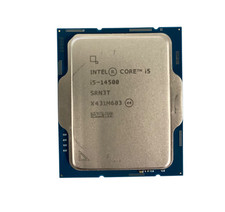
Intel Core i5-14500 SRN3T 2.6GHz 14-Core 24 MB Cache Desktop CPU Processor
$180.00
INTEL CORE I5-11600 2.80GHZ PROCESSOR | SRKNW
$109.99

INTEL CORE I7-870 SLBJG 2.93GHZ LGA1156 4 CORE CPU PROCESSOR
$23.00

AMD Ryzen 5 5600X Desktop Processor (3.7GHz, 6 Cores, AM4 CPU) 100-100000065
$135.00

Intel Core i9-9900 3.10GHz CPU Processor SRG18
$165.00
Intel Core i7-9700 3.00 GHz LGA 1151 Desktop CPU Processor SRG13
$79.99

Intel Core i5-7500 Processor (3.4 GHz, 4 Cores, LGA 1151) - SR335
$12.99
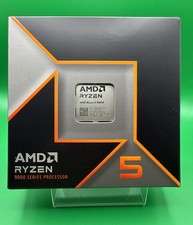
AMD Ryzen 5 9600X Processor (Zen 5) 6-Core 3.9GHz AM5 65W CPU 100-000001405 USED
$165.99

Lot of 2 INTEL CORE ULTRA 5 245 PROCESSOR | 3.50 GHZ | SRVFE
$256.99



 Reply With Quote