

 Reply With Quote
That shouldn't be a problem as it is only a warning. Usually LILO would use the term 'fatal' if it failed to install. So LILO actually won't install then?


Hi there,
Problem with HD based knoppix...
all based on doc from http://www.knoppix.net/docs/index.php/HdBasedHowTo
When I come to the point of creating the lilo system on the harddisk (using the line lilo -C /boot/lilo.conf) I get the error :
Warning: Unable to determine video adapter in use in the present system.
I am working with an EPIA motherboard V8000 (with integrated vga).
Booting normally with knoppix cd =>no problem
I got ext3 partition of 720Mb on first part of harddisk (so HDA1)
This is my lilo.conf :
lba32
boot=/dev/hda
install=/boot/boot-menu.b
backup=/dev/null
map=/boot/map
vga=normal
default=Knoppix
image=/boot/vmlinuz
append="lang=be ramdisk_size=100000 init=/etc/init initrd=miniroot.gz nomce apm=power-off hda=scsi hdb=scsi hdc=scsi hdd=scsi hde=scsi hdf=scsi hdg=scsi hdh=scsi vga=791 quiet BOOT_IMAGE=knoppix"
root=/dev/hda1
label="Knoppix"
read-only
initrd=/boot/miniroot.gz
I've done this HDbased knoppix before and succeeded (on another old celeron based config),but on this EPIA with integrated video it refuses to create lilo .
Help or suggestions on this would really be appreciated....
That shouldn't be a problem as it is only a warning. Usually LILO would use the term 'fatal' if it failed to install. So LILO actually won't install then?
I had this error last week when I built a new computer and moved the HD into it. Booted from the CD to change things that needed to be done and updated LILO got the error re-booted and everything went fine. Have you actually confirmed with a boot that lilo did not install.
Also I notice that you have two vga= in the lilo.conf maybe that is causing the problem.
when rebooting afterwards I get the message :
LI99 99 99 99 99 99 99 99 99 99 99 99 99 99 99 99 9999 99 99 99 99 99 99 9999 99 99 99 99 99 99 9999 99 99 99 99 99 99 9999 99 99 99 99 99 99 9999 99 99 99 99 99 99 9999 99 99 99 99 99 99 9999 99 99 99 99 99 99 9999 99 99 99 99 99 99 9999 99 99 99 99 99 99 9999 99 99 99 99 99 99 9999 99 99 99 99 99 99 99
at boot.
So LILO hasn't been installed properly. Was anyway worth a try..
Any other ideas rickenbacherus or stephen ?
retried it with other lilo.conf settings.
still the error message ,but......
ALL WORKS at reboot...
I've made an install script (to be used from root sh hdbootinstall.sh)
and this is my lilo.conf (for belgian keyboard layoutCode:echo ################################################################# echo # Before continiouing. This is installscript for 1 cdrom/dvd only echo # First : echo # Have active partition of 800Mb FAT,FAT32,EXT2 or EXT3 echo # Use icon on desktop to mount your cdrom echo # Use icon on desktop to mount your partition and make writable echo # Have you personal lilo.conf ready - or use mine ;-) echo ################################################################# read -p 'What disk will be boot ?-hda1,hda2,hdb1,..:' DISK echo Copying please Wait ......... cp -R /mnt/cdrom/* /mnt/$DISK echo ################################################################# echo # Copy cdrom to $DISK done! echo ################################################################# mkdir /mnt/$DISK/boot mkdir /mnt/floppy-loop mount /cdrom/KNOPPIX/boot.img /mnt/floppy-loop -o loop -t vfat echo Copying please wait ......... cp /mnt/floppy-loop/* /mnt/$DISK/boot echo ################################################################# echo # Copy floppy to $DISK/boot done ! echo # Now passing to lilo install. echo ################################################################# read -p 'Where is your personal lilo.conf located ? Give full path :' LILOCONF cp -f $LILOCONF/lilo.conf /mnt/$DISK/boot/ ln -sf /mnt/$DISK/boot / lilo -C /mnt/$DISK/boot/lilo.conf echo ################################################################# echo # Lilo installed in MBR ,if errormessages appear please try first echo # to boot on it. If it still don't work adapt your personal lilo.conf echo # and try again. echo ################################################################## read -p 'Press enter to quit' ENTERand 800x600 screen)
Greetzzz ....Code:# /etc/lilo.conf - See: `lilo(8)' and `lilo.conf(5)', # --------------- `install-mbr(8)', `/usr/share/doc/lilo/', # and `/usr/share/doc/mbr/'. # Remove this line when you are done configuring. -KK # +---------------------------------------------------------------+ # | !! Reminder !! | # | | # | Don't forget to run `lilo' after you make changes to this | # | conffile, `/boot/bootmess.txt', or install a new kernel. The | # | computer will most likely fail to boot if a kernel-image | # | post-install script or you don't remember to run `lilo'. | # | | # +---------------------------------------------------------------+ # Support LBA for large hard disks. # lba32 # Specifies the boot device. This is where Lilo installs its boot # block. It can be either a partition, or the raw device, in which # case it installs in the MBR, and will overwrite the current MBR. # boot=/dev/hda # Specifies the device that should be mounted as root. (`/') # # Enable map compaction: # Tries to merge read requests for adjacent sectors into a single # read request. This drastically reduces load time and keeps the # map smaller. Using `compact' is especially recommended when # booting from a floppy disk. It is disabled here by default # because it doesn't always work. # # compact # Installs the specified file as the new boot sector # install=/boot/boot-menu.b backup=/dev/null # Specifies the location of the map file # map=/boot/map # You can set a password here, and uncomment the `restricted' lines # in the image definitions below to make it so that a password must # be typed to boot anything but a default configuration. If a # command line is given, other than one specified by an `append' # statement in `lilo.conf', the password will be required, but a # standard default boot will not require one. # # This will, for instance, prevent anyone with access to the # console from booting with something like `Linux init=/bin/sh', # and thus becoming `root' without proper authorization. # # Note that if you really need this type of security, you will # likely also want to use `install-mbr' to reconfigure the MBR # program, as well as set up your BIOS to disallow booting from # removable disk or CD-ROM, then put a password on getting into the # BIOS configuration as well. Please RTFM `install-mbr(8)'. # # password=tatercounter2000 # Specifies the number of deciseconds (0.1 seconds) LILO should # wait before booting the first image. # delay=20 timeout=20 # You can put a customized boot message up if you like. If you use # `prompt', and this computer may need to reboot unattended, you # must specify a `timeout', or it will sit there forever waiting # for a keypress. `single-key' goes with the `alias' lines in the # `image' configurations below. eg: You can press `1' to boot # `Linux', `2' to boot `LinuxOLD', if you uncomment the `alias'. # # message=/boot/bootmess.txt # prompt # single-key # delay=100 # timeout=100 # Specifies the VGA text mode at boot time. (normal, extended, ask, <mode>) # # vga=ask # vga=9 # vga=normal # Kernel command line options that apply to all installed images go # here. See: The `boot-prompt-HOWO' and `kernel-parameters.txt' in # the Linux kernel `Documentation' directory. # # append="" # Boot up Linux by default. # default=Knoppix image=/boot/vmlinuz append="lang=be screen=800x600 nowheelmouse home=scan myconf=scan ramdisk_size=100000 init=/etc/init initrd=miniroot.gz apm=power-off hda=scsi hdb=scsi hdc=scsi hdd=scsi hde=scsi hdf=scsi hdg=scsi hdh=scsi vga=791 nomce quiet BOOT_IMAGE=knoppix" root=/dev/hda1 label=Knoppix read-only initrd=/boot/miniroot.gz # restricted # alias=1 #image=/vmlinuz.old # label=Linux-OLD # read-only # optional # restricted # alias=2 # If you have another OS on this machine to boot, you can uncomment the # following lines, changing the device name on the `other' line to # where your other OS' partition is. # # other=/dev/hda4 # label=HURD # restricted # alias=3
 Posting Permissions

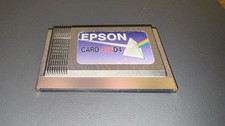
Epson Card 486D4 Single Board Computer Card PCMCIA Vintage Industrial
$906.39

🔥 RARE VINTAGE HP 2112A 21MX M-SERIES 16-BIT MINICOMPUTER HP
$299.99

Lot of 2 Vintage Plextor PX-43CS SCSI CD-ROM Caddy Drives + 4 Caddies Used
$55.99

🔥 RARE VINTAGE HP 2113A 21MX 1000 E-SERIES MINICOMPUTER CHASSIS BACKPLANE
$249.00
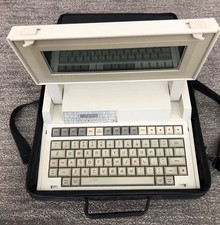
VINTAGE HEWLETT PACKARD HP 110 LAPTOP WITH CARRYING CASE
$350.00

Original Vintage Old Style STANDARD Black CD Jewel Case (Heavy Duty) 90g Lot
$316.95
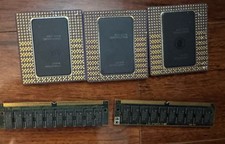
Vintage Intel Pentium Pro CPU Lot 3 Gold Ceramic Processors + 2 RAM Untested
$249.99
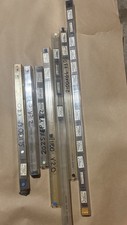
Lot of 34 Contrologic Vintage Programmed EPROM IC Chips M27C256B D27C64 NOS
$139.99

HP 5060-8359 8K Semiconductor Memory Module 5080-9747 Vintage HP Computer
$224.72

Vintage Hewlett Packard HP 13181-60074 Circuit Card Assembly / Interface Board.
$135.37